Tax workflow management software for CPA firms
One path through tax season: validated source documents, the returns pipeline, 8879 signatures, K-1 delivery, 1099 season and notices, all on the engagement where the work already lives.
Updated 2026-10-17
Tax season rarely breaks down inside the return. It breaks down around it. W-2s and brokerage statements arrive in email, text messages and a portal nobody remembers how to log into. A preparer finishes a return, then waits a week for a signed 8879 sitting unopened in someone’s inbox. Partnership K-1s go out as attachments with no record of who opened them. In January, the 1099 work starts from a spreadsheet of vendor payments and a folder of W-9s, some of them unsigned.
InflowSheet is tax workflow management software for CPA firms that puts those steps on one path, inside each client’s engagement. Documents are collected and validated on the request list. Validated figures roll up in the Source Organizer. Returns move through a pipeline to signature. K-1s, 1099s and IRS notices each get their own working page. The home screen tells each person which step is next.
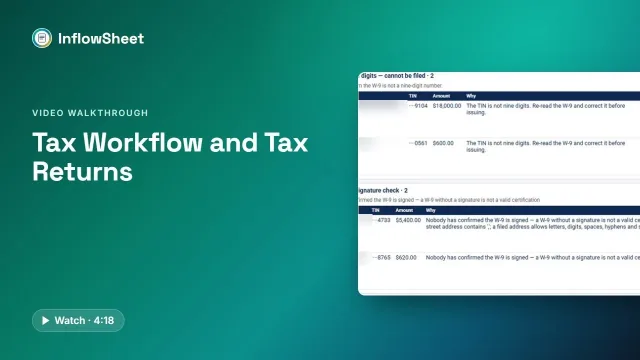 Full walkthrough · 4:19 · access requiredTax workflow and returnsFrom source documents to a signed 8879: organizer, Tax Returns, ERO signing order, K-1s and 1099s.
How tax workflow management works in InflowSheet
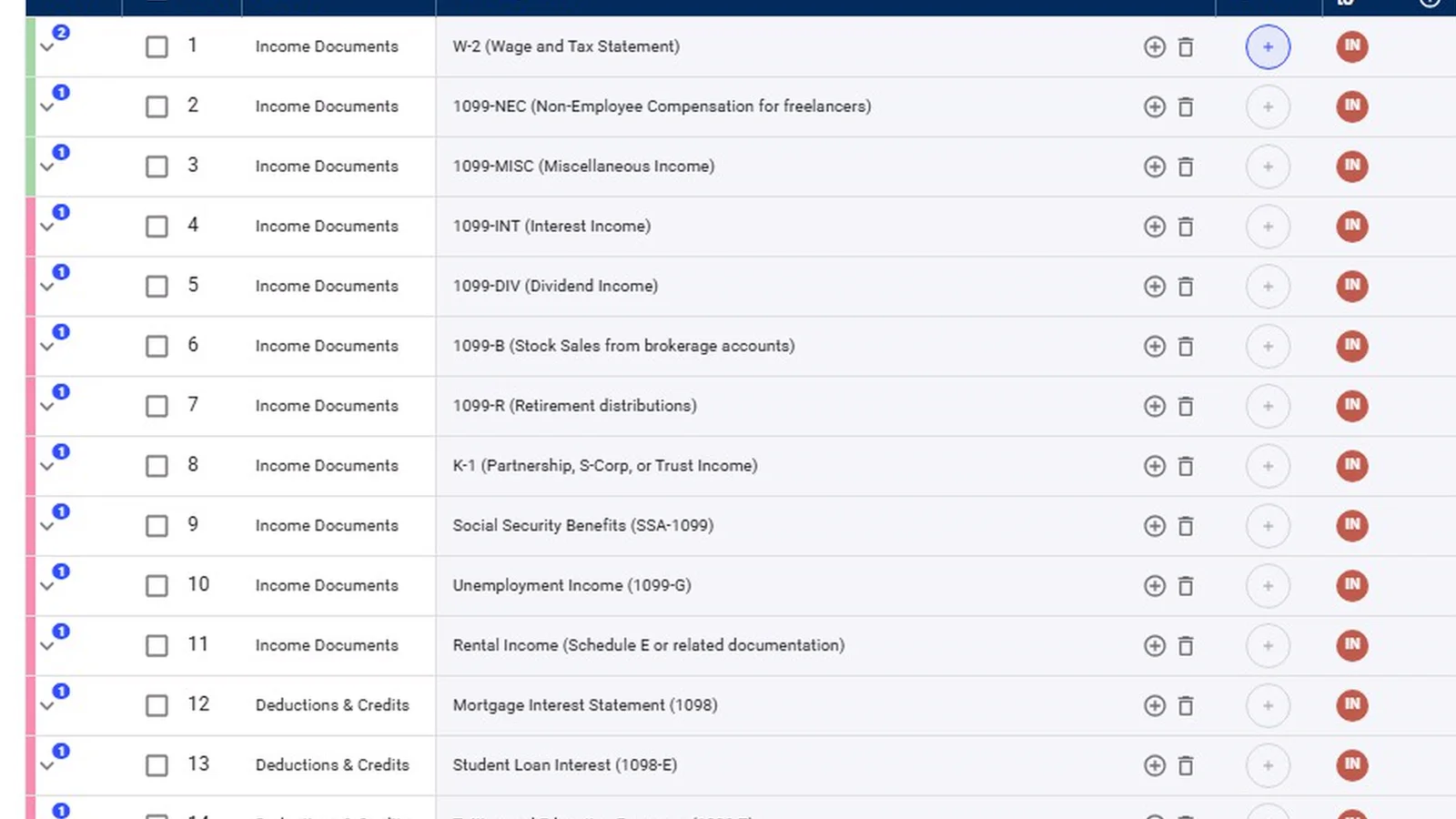
Every engagement has a single request list for its period, and that list doubles as the tax document checklist. Clients upload straight onto the item they were asked for, and a completeness agent compares each document with what was requested: wrong type, wrong year or wrong entity. A person then validates it. For the collection side, see client document collection and our guide to reducing missing client tax documents.
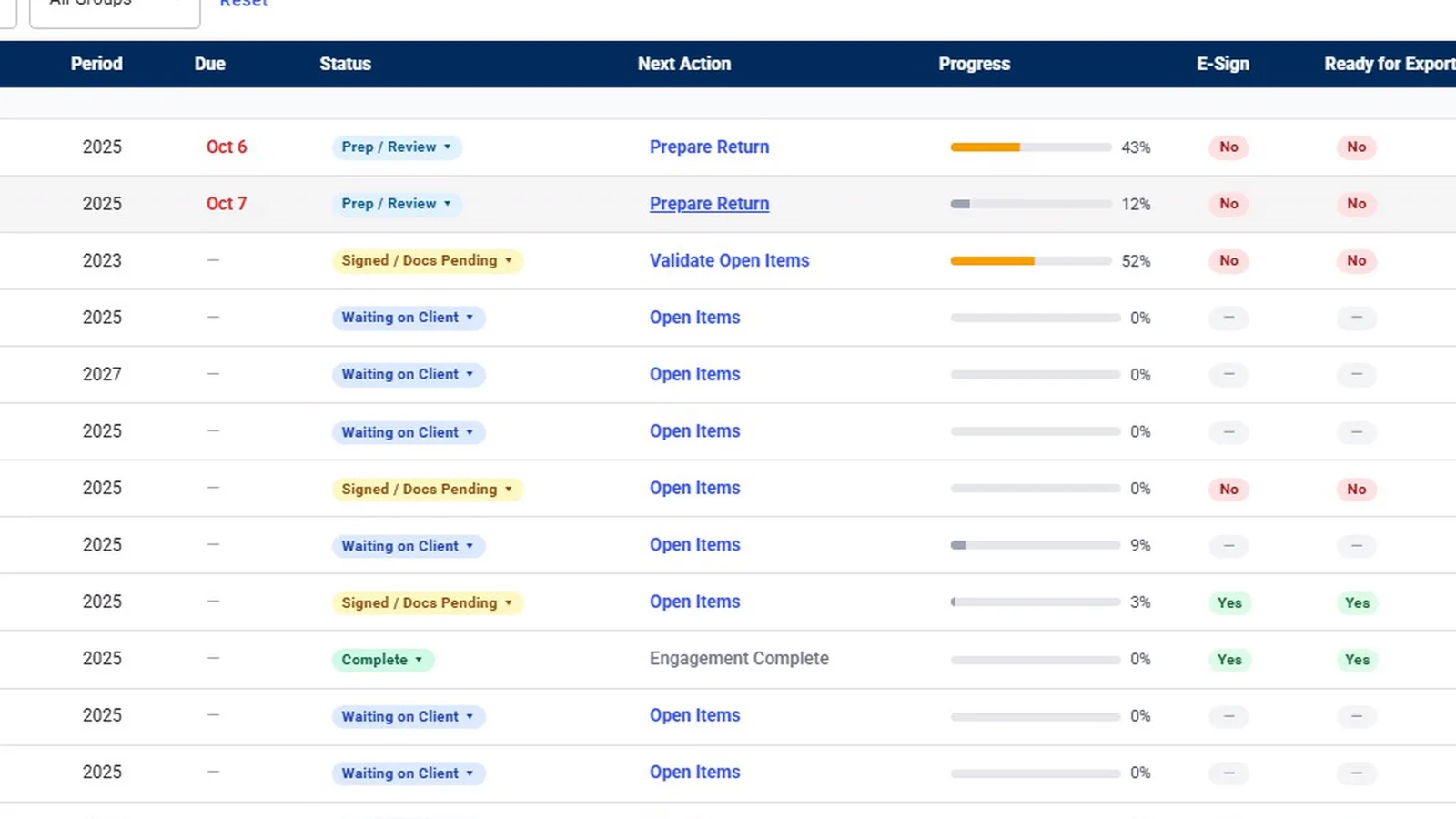
From there, the tax-specific work runs as a sequence of steps, each one a section below. On the home screen, each engagement shows its next step as a link (Prepare Return, Send to Sign, ERO to Sign), and the link opens the screen where that step gets done.
Source Organizer: figures from documents already validated
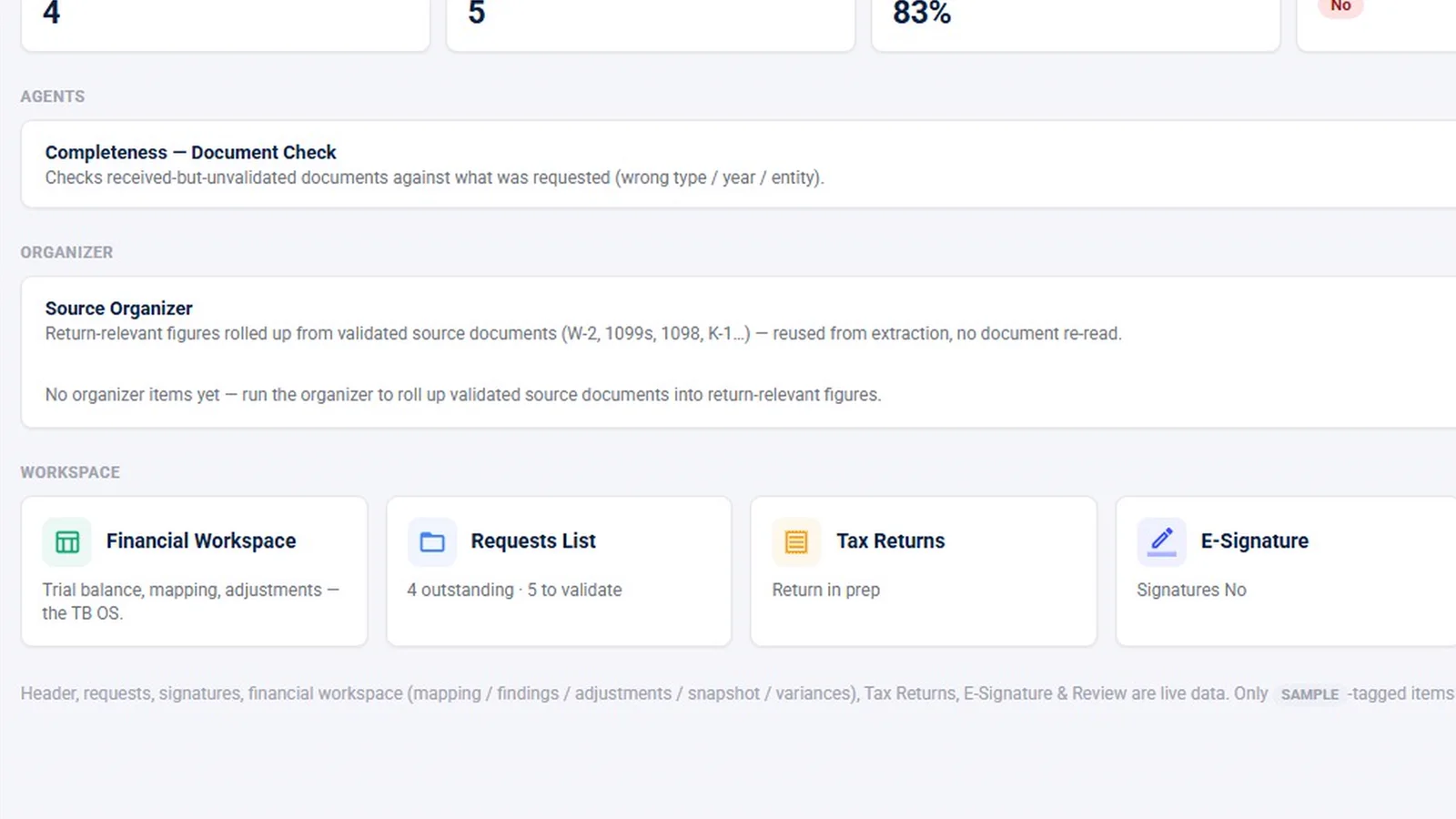
The Source Organizer takes the W-2s, 1099s, 1098s and K-1s a person has validated and rolls their figures up into return-relevant numbers. It reuses what was already extracted from those documents, so nobody re-reads a statement to key in a box. An Organizer agent drafts the items and waits. A person accepts them, either on the engagement or in the agents’ review room.
Two things to know. First, the Organizer only works from documents that have been validated, so a 1099 the client uploaded but nobody has checked doesn’t feed into it. Second, it is not a client questionnaire. If your firm sends clients an organizer to fill out, InflowSheet doesn’t replace that form. In the demo workspace the organizer card is filmed but holds no items.
Tax Returns: one pipeline for returns and e-file authorizations
Tax Returns is the pipeline for returns and their e-file authorizations. Counters at the top show what’s ready to send, what’s out for signature, what was signed this week and what has been out more than five days.
A return comes in as the tax software’s “Client Copy” PDF. The firm uploads it, or drops it in the engagement’s SharePoint returns folder. InflowSheet reads the package and classifies the pages, including Form 1040, Form 8879 pages 1–2, NY IT-201 and TR-579-IT, 1040-ES vouchers and worksheets. It lifts the 8879 out for signing. If the signature forms were left out of the package, it refuses the package.
Before anything goes to the client, the package review checks:
- year-over-year AGI and total tax;
- filing status and address;
- a changed direct-deposit account;
- the estimated-tax penalty (line 38).
Firms that want the client to look over the return first can switch on an optional review step. The client sees the return without the 8879, then approves it or requests changes. This is a per-firm option, not the default.
On the Tax Returns page, the Return Send Sentinel and Signature Chase agents each have a card showing what they found.
Form 8879 signing order: client first, then the ERO
A return can’t start its signature flow until an ERO is assigned. Until then the row shows “Needs ERO” and the start button stays disabled. Each signer also needs a name and an email address. The client signs Form 8879 in DocuSign first, then the assigned ERO signs. Status moves from Sent for Signature to Client Signature, ERO Signature and Signed, and Re-issue voids an old envelope and sends a fresh one.
Firms can switch on a “Tax Return KBA” setting, which requires DocuSign knowledge-based authentication for client signers on tax returns. Joint returns get a second request for the second signer. The full signing flow, including how an ERO is designated, is on our Form 8879 e-signature page.
K-1 distribution and tracking
The K-1s page runs in five steps: K-1s, Recipients, Match, Send and Track.
- The firm drops in the K-1 PDFs.
- It pastes a partner roster: name, email and the last four digits of each partner’s TIN.
- Matching reads the recipient off each K-1 and proposes a person.
Matching never confirms on its own. Someone presses Confirm for each match.
Recipients get a notice rather than the K-1 itself. To download it, they verify their email with a one-time code and agree to electronic delivery. A paper option exists. The Track step records each recipient’s state, such as an email that bounced, consent that was withdrawn or a paper copy that’s required. A K-1 chase agent drafts reminders for a person to review.
For the other side of the problem, K-1s your clients are waiting on, read K-1 collection for CPA firms.
1099 season review, including TIN and W-9 checks
1099 Season is a firm-side workspace for each payer and tax year. The work runs in order:
- Load the client’s payment report as an .xlsx file.
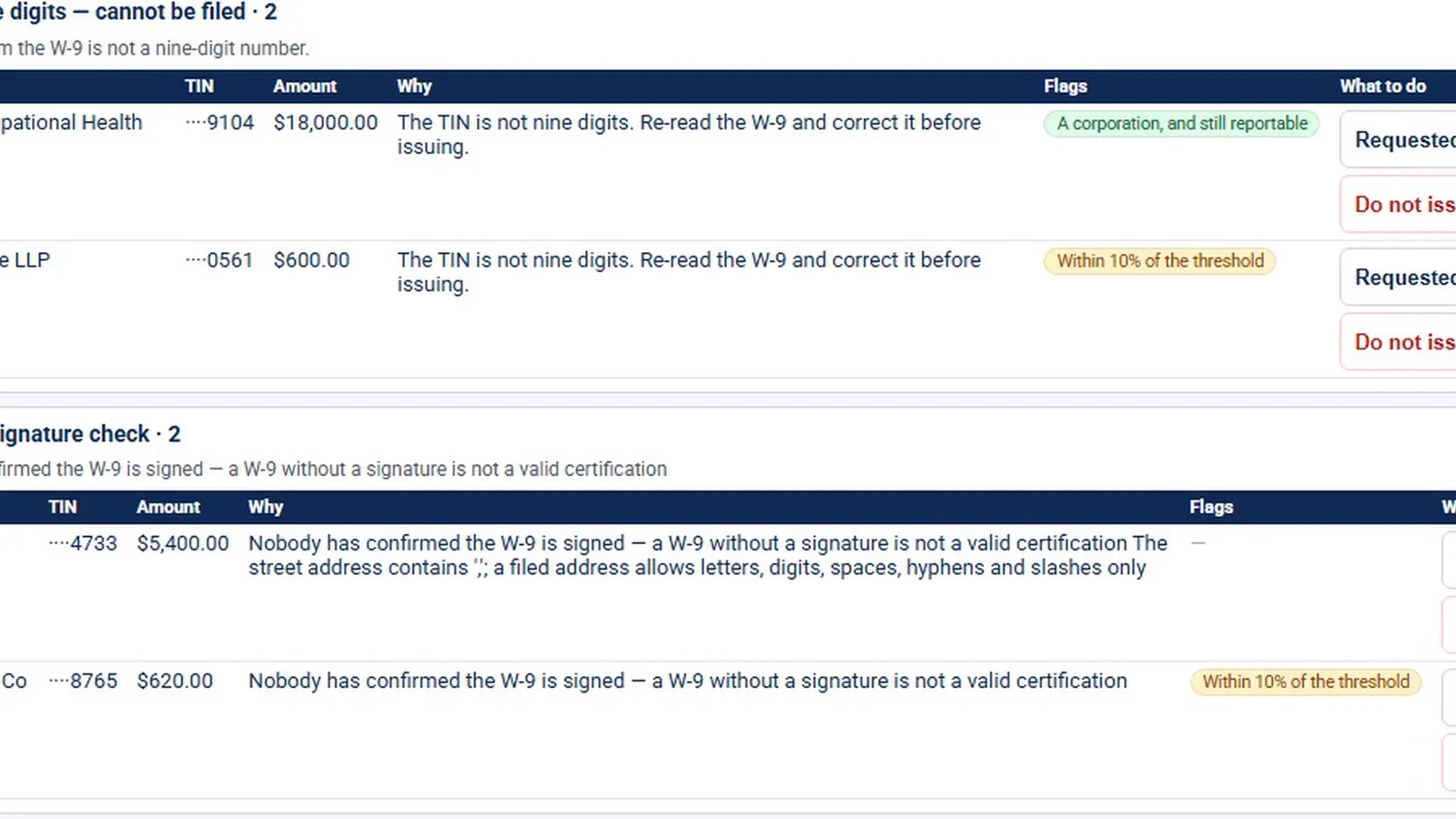
- Read the W-9s. A W-9 is cleared for issuing only after someone has looked at its signature.
- Assemble vendors against the reporting threshold. InflowSheet warns when a vendor’s TIN has changed since last year, and its review tables flag TINs that aren’t nine digits.
- Generate the recipient copies (Copy B).
Tax IDs show masked to the last four digits.
Filing with the IRS stays a manual step, done outside InflowSheet. A person then records the receipt ID, or any rejections, back in the season. InflowSheet does not e-file 1099s and doesn’t check TINs against IRS records.
IRS and state notices
The Notices page holds letters from the IRS or a state. Clients or the firm upload them, and the team classifies, assigns and tracks each one. A notice’s type is taken from the number printed on it. Its deadline is taken only from the response date printed on the letter. The demo workspace has no notices, so the video shows the empty page.
Reporting across the season
Reports include tabs for Tax Returns, 1099 Season and K-1s, next to Requests and E-Signature. Each report opens with a short “What this says” summary and a row of KPIs, which gives a partner a practice-wide view without opening every engagement.
What this tax workflow does not do
To set expectations plainly:
- No e-filing. InflowSheet does not e-file returns or 1099s. It handles the 8879 authorization and the signatures; transmission happens in your tax software or the IRS portal.
- No tax-software integration. Returns come in as the Client Copy PDF.
- No client questionnaire. The Source Organizer works only from validated documents.
- No automatic K-1 routing into partner returns. Matching proposes a recipient, and a person confirms.
- Drafted reminders by default. Chase reminders are drafted for someone to approve. Autonomous sending is something a firm opts into, for routine items only, with a hold window before anything sends.
Tax staff see Tax Returns, K-1s and 1099 Season on their navigation rail, alongside the financial workspace. InflowSheet costs $10 per user per month, with every user getting the whole platform. To see the full path from source documents to a signed 8879, watch Tax Workflow and Tax Returns.
Questions firms ask
Does InflowSheet e-file tax returns or 1099s?
No. InflowSheet does not transmit returns or 1099s to the IRS. It handles the work around filing: source documents, return packages, Form 8879 signatures, K-1 delivery, 1099 preparation, and recording the IRS receipt ID or rejections after a person files 1099s through IRIS.
Does it connect to our tax software?
There is no direct integration with tax preparation software. The firm uploads the tax software's Client Copy PDF, or drops it in the engagement's SharePoint returns folder, and InflowSheet reads the package from there.
How do we track which clients are still waiting on K-1s, or which partners have not downloaded theirs?
Missing K-1s show up on the client's request list like any other outstanding document. For K-1s the firm issues, the K-1s page tracks each recipient's state, such as a bounced email, withdrawn consent or a paper copy required.
Is the Source Organizer a client questionnaire?
No. It rolls figures up from W-2s, 1099s, 1098s and K-1s that someone has already validated. It does not send the client a questionnaire.
Which return types does the returns pipeline handle?
The app supports the 1040, 1041, 1120, 1120-S and 1065 form families.
What does it cost?
$10 per user per month, with every user getting the whole platform, tax tools included. See the pricing page for details.
Related
See InflowSheet on your own engagements
Start with the free 90-second tour, or request access and we will walk you through it.