Form 8879 e-signature software for CPA firms
Get the e-file authorization signed in the right order: the client first, then the ERO your firm assigned, with identity verification when your firm turns it on.
Updated 2026-10-17
Most of the delay in a finished return comes after preparation is done. The return is ready, the 8879 goes out, and then the questions start. Has the client opened it? Did the spouse sign? Did the identity check lock them out? Has the ERO countersigned yet? A firm that tracks 8879s in a signature service, a spreadsheet and a shared inbox answers those questions by hand, one return at a time.
InflowSheet is Form 8879 e-signature software built into each client’s tax engagement. The 8879 is lifted from the return package the firm already produced. It’s signed in DocuSign in a fixed order, client first and then the ERO, and every return shows where it stands in one pipeline.
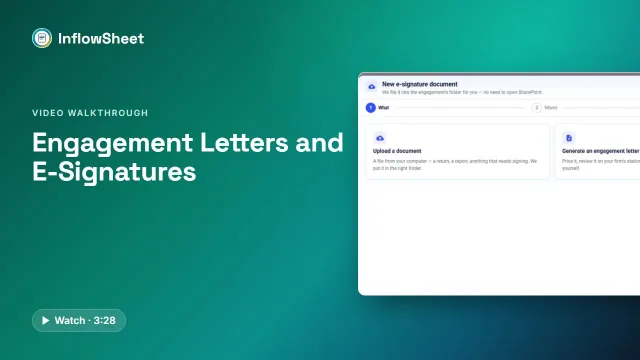 Full walkthrough · 3:29 · access requiredEngagement letters and e-signatureLetters built from your service library, signed partner first, then client, with return signing alongside.
Where the 8879 comes from
The firm uploads the tax software’s “Client Copy” PDF, or drops it in the engagement’s SharePoint returns folder. InflowSheet classifies the pages (Form 1040, Form 8879 pages 1–2, 1040-ES vouchers, worksheets and the New York IT-201 and TR-579-IT forms) and lifts the 8879 out for signing. If the signature forms are missing from the package, InflowSheet refuses it, so a return can’t go out for signature without them. Supported form families are 1040, 1041, 1120, 1120-S and 1065.
The intake step checks a few things before the client sees anything: year-over-year AGI and total tax, filing status, address, a changed direct-deposit account and the estimated-tax penalty. Firms can also switch on a client review step. The client reviews the return without the 8879 in it, then approves or asks for changes, and only after that does the signature request go out. It’s off unless the firm turns it on.
The rest of the tax path, from source documents to K-1s and 1099s, is on our tax workflow management page.
Form 8879 e-signature signing order: client, then ERO
The signing order for a tax return is fixed. The client signs Form 8879 in DocuSign first, then the assigned ERO signs. This reverses the order for engagement letters, where the partner signs first.
Three checks have to pass before a return can start its signature flow:
- An ERO must be assigned. Until one is, the row shows “Needs ERO” and the start button stays disabled.
- Every signer needs a name and an email address.
- A document type must be set.
The app runs these checks on the screen, before sending. Who may actually sign is decided on the server.
Who can be the ERO
Signing authority is set apart from ordinary access. An administrator marks which users can act as ERO, and that toggle exists only for users in the Tax role. Being able to see a return doesn’t make someone its ERO. Partner Verifiers, who sign engagement letters, are flagged separately; the engagement letter page covers them.
Joint returns
For a joint return, the first taxpayer reviews, then the second signer gets their own request.
Identity verification with KBA
InflowSheet has a firm setting called “Tax Return KBA”. It requires DocuSign knowledge-based authentication for client signers on tax returns. Two points are worth stating precisely:
- The setting is chosen by the firm, and how it’s applied to each envelope is decided on the server. Whether a given signer sees KBA questions depends on that configuration.
- DocuSign handles the questions. The signer page “never sees or stores your answers”.
If DocuSign locks identity verification after failed attempts, the firm re-issues the request and a fresh envelope starts. The pricing page lists “DocuSign IRS-KBA Identity Verification” among the features included in the per-user price.
What the signer sees
The client gets a link and confirms their email address with a six-digit code. They then sign in DocuSign embedded in the page. The page states “Only your tax firm and you can access this information.” After signing, the tax-return signer page tells them “Your CPA automatically receives your signed forms.” Signed returns are filed in the engagement’s Signed Returns folder in SharePoint.
Tracking every 8879 to Signed
Return status follows the signatures: Sent for Signature → Client Signature → ERO Signature → Signed. Declined and Voided also exist. Re-issue voids the old envelope and sends a fresh one.
The Tax Returns page counts what’s ready to send, out for signature, signed this week and out more than five days. The E-Signature page has its own counters (awaiting signature, out more than five days, signed this week, voided or declined), and on the home screen the portfolio has an E-Sign column for every engagement.
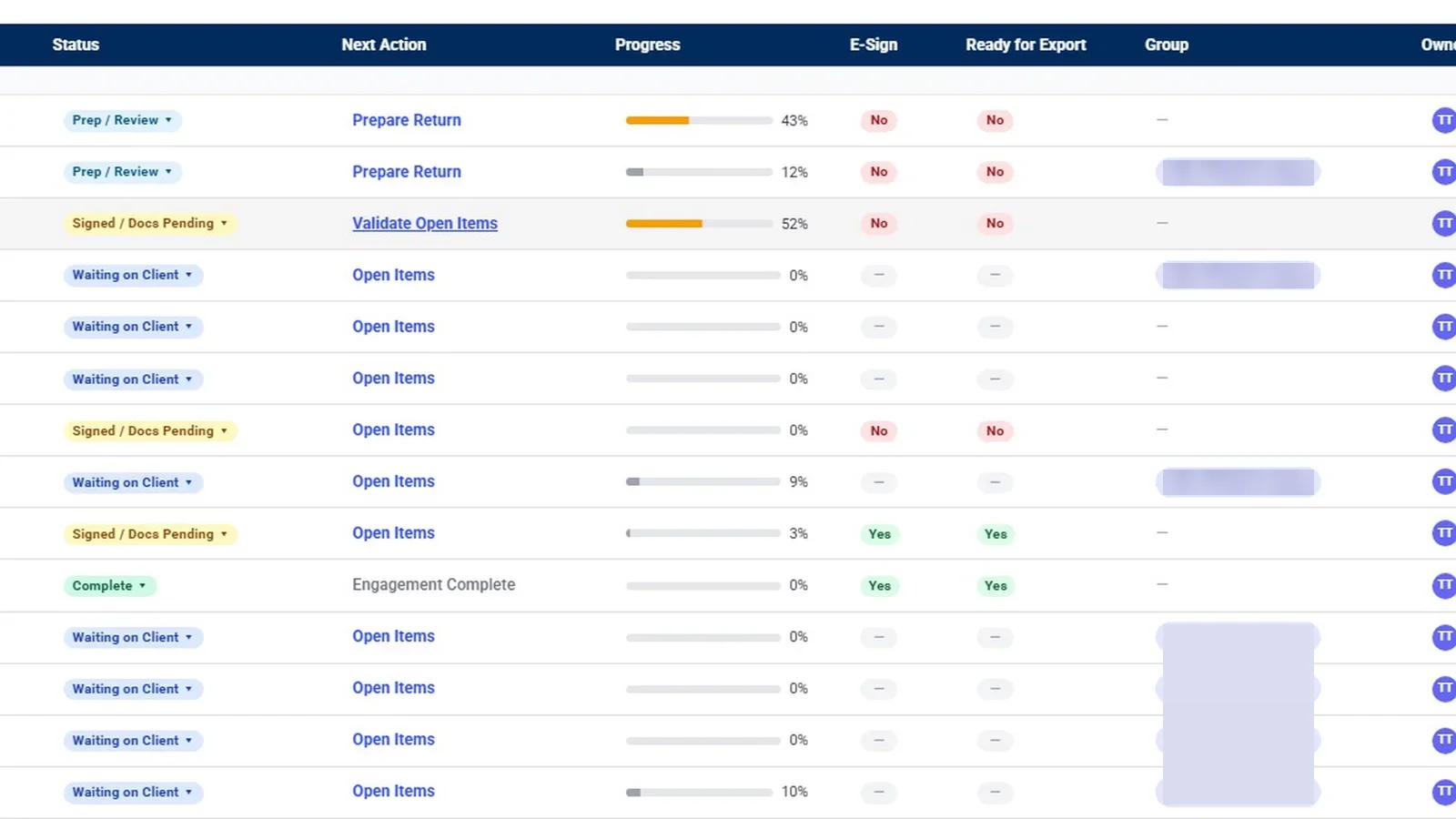
Each engagement’s next action follows the return too. Send to Sign, ERO to Sign and Awaiting Signatures open Tax Returns or E-Signature with that engagement already in focus, so the ERO can go straight from home to the returns waiting on them.
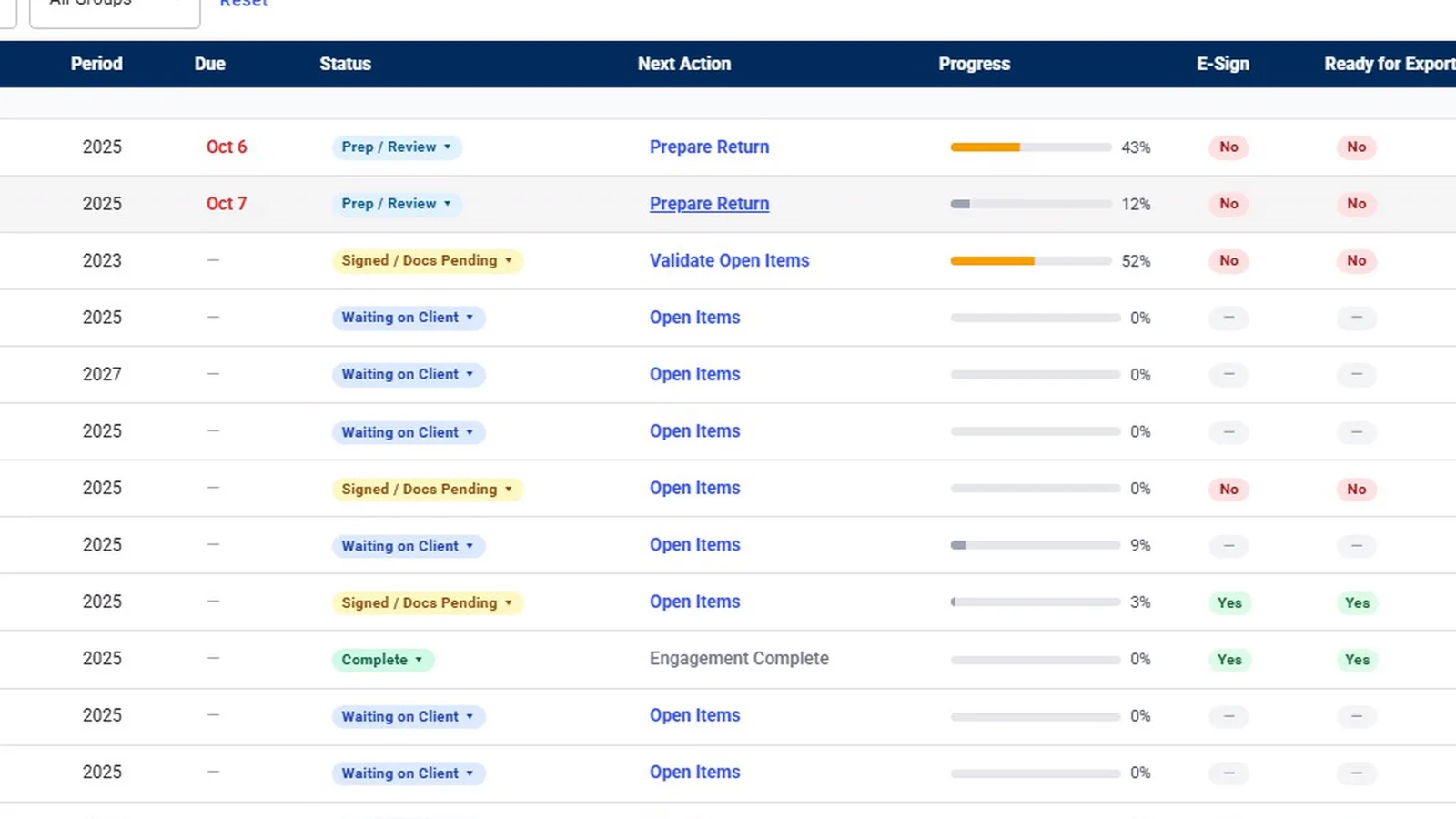
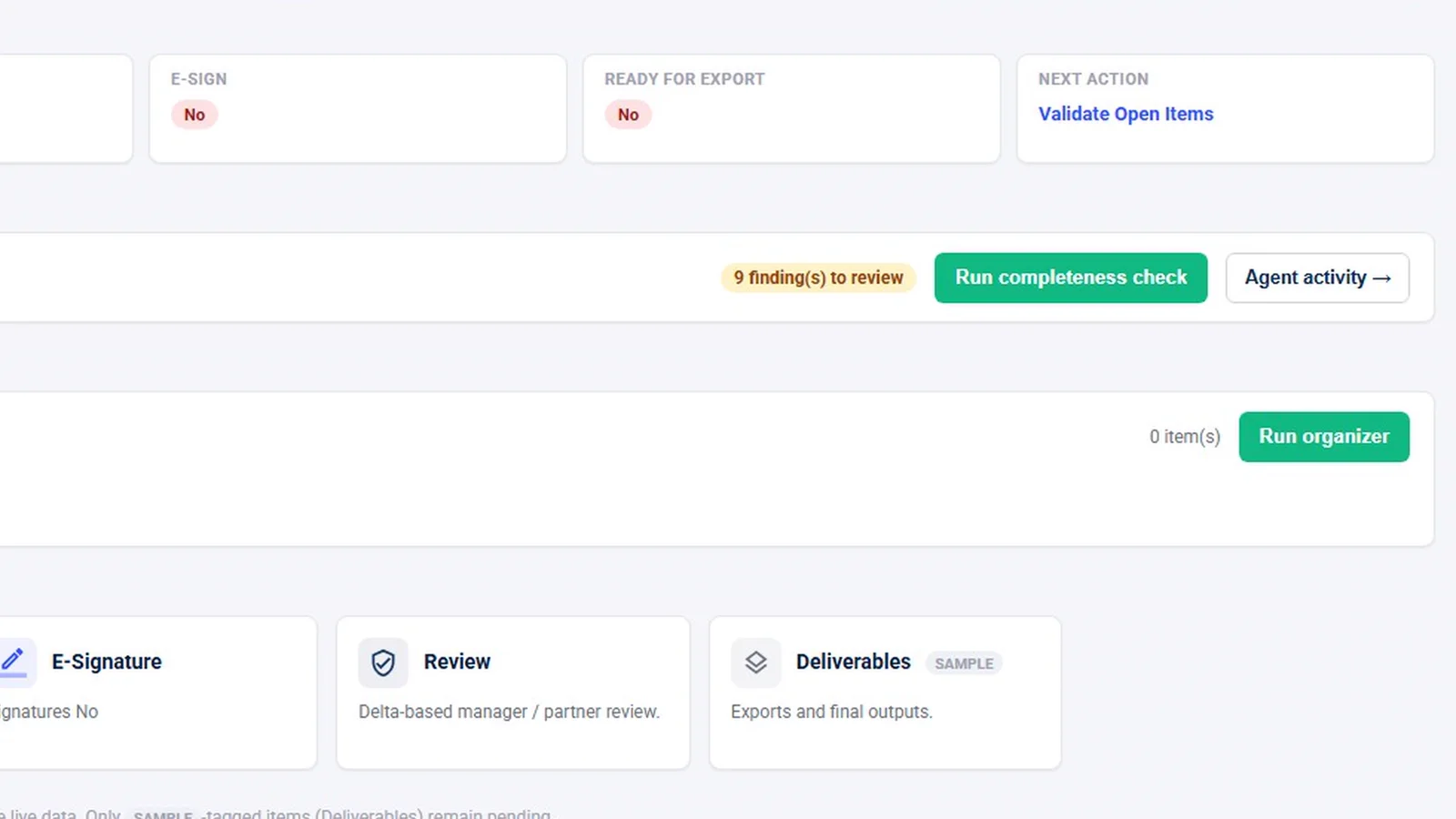
On the engagement overview, a manager sees the e-signature status next to requests and the next action, and the E-Signature card opens the signing list for that client.
Who sees the returns pipeline
Tax staff get Tax Returns on their navigation rail, along with K-1s and 1099 Season. Audit staff don’t. A client sees Tax Returns only if the server grants them tax scope. When someone without tax access looks at the home screen, a return step such as ERO to Sign shows as plain text rather than a link, so the step is visible but the return stays out of reach.
Chasing unsigned authorizations
A Signature Chase agent drafts reminders for envelopes that have been out too long. By default a draft waits until a person approves it, and nothing goes to the client before then. A firm can choose to let an agent act on routine items. In that case reminder emails are held for 15 minutes before sending, because an email can’t be recalled once it’s out. The AI agents page explains those settings.
What InflowSheet does not claim
- It does not e-file. InflowSheet stops at a signed authorization. Transmitting the return happens in your tax software.
- No IRS compliance badge. InflowSheet describes its KBA and signing order factually and doesn’t claim IRS approval or certification. Your ERO remains responsible for the firm’s e-file practices.
- KBA isn’t on for every signer. It depends on the firm’s setting and on the server.
- Client review before the 8879 is optional, a per-firm setting, not the standard flow.
Every user gets the whole platform, e-signature included, for $10 per user per month. The engagement letter and return signing flows are both covered in Engagement Letters and E-Signatures, and the tax side in Tax Workflow and Tax Returns.
Questions firms ask
Can Form 8879 be signed electronically in InflowSheet?
Yes. The client signs the 8879 in DocuSign, embedded in the signer page, and the assigned ERO signs after them. Whether your firm's process meets IRS rules for electronic signatures stays your firm's call; InflowSheet makes no IRS compliance claim.
Does InflowSheet use knowledge-based authentication for 8879 signers?
A firm setting called Tax Return KBA requires DocuSign knowledge-based authentication for client signers on tax returns. When it applies, DocuSign handles the questions, and the signer page never sees or stores the answers.
Who can act as the ERO?
An administrator marks which Tax-role users can act as ERO; the toggle exists only for that role. A return cannot start its signature flow until an ERO is assigned.
What happens if a client fails identity verification?
If DocuSign locks identity verification after failed attempts, the firm re-issues the request. Re-issue voids the old envelope and a fresh one starts.
How are joint returns handled?
The first taxpayer reviews, then the second signer gets their own request.
Does InflowSheet transmit the return after the 8879 is signed?
No. InflowSheet handles the authorization and the signatures. It does not e-file returns.
Related
See InflowSheet on your own engagements
Start with the free 90-second tour, or request access and we will walk you through it.