AI agents for accounting firms, with people making the decisions
InflowSheet's agents check documents, draft follow-ups and propose mappings. Their work lands in one review room, and by default nothing goes out without a person.
Updated 2026-10-17
Most of the first pass in a CPA firm is reading. Someone opens each upload to check it’s the right form for the right year. Someone else writes the third email asking for the same brokerage statement. A senior maps the same accounts to the same groupings as last year and writes “no significant change” forty times. That’s work AI can take on. The question for a firm is how much of it the AI should finish on its own.
InflowSheet’s answer is built into the product. Its AI agents for accounting firms do the reading, checking and drafting. Their output collects in one review room, and by default nothing goes out without a person. Each agent has an autonomy setting, and the firm chooses how far it goes.
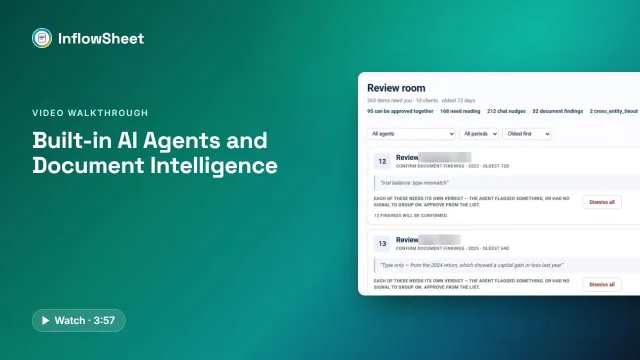 Full walkthrough · 3:58 · access requiredAI agents and document reviewCompleteness checks, drafted chases and signature reminders, all reviewed in one room, with autonomy your firm controls.
What the agents do
Each agent has a narrow job. The ones shown on agent cards in the app are:
- Completeness compares each received document with what was requested and flags the wrong type, the wrong year or the wrong entity.
- Chase drafts a follow-up for missing documents that names what is still outstanding.
- Signature Chase drafts reminders for envelopes that have been out too long.
- Organizer drafts source-extraction items for the Source Organizer, rolling figures up from validated W-2s, 1099s, 1098s and K-1s.
- Return Send Sentinel works on the Tax Returns page.
In the code there is also a K-1 chase agent.
Each module shows its own agent card. Tax Returns, for example, shows what the Return Send Sentinel and Signature Chase found. On the home screen, a “While you were out” strip counts what the agents did, such as documents validated, chase drafts, signature reminders, organizer items, returns ready to send and findings, along with the items waiting for review.
On the request list, an “Inflow Agent” panel offers shortcut prompts: what to work on next, show high-risk requests, draft follow-ups for missing documents, and summarize progress. The demo video only hovers over this panel, so treat it as a set of starting points rather than something we have shown working end to end.
The completeness check: a finding, not a verdict
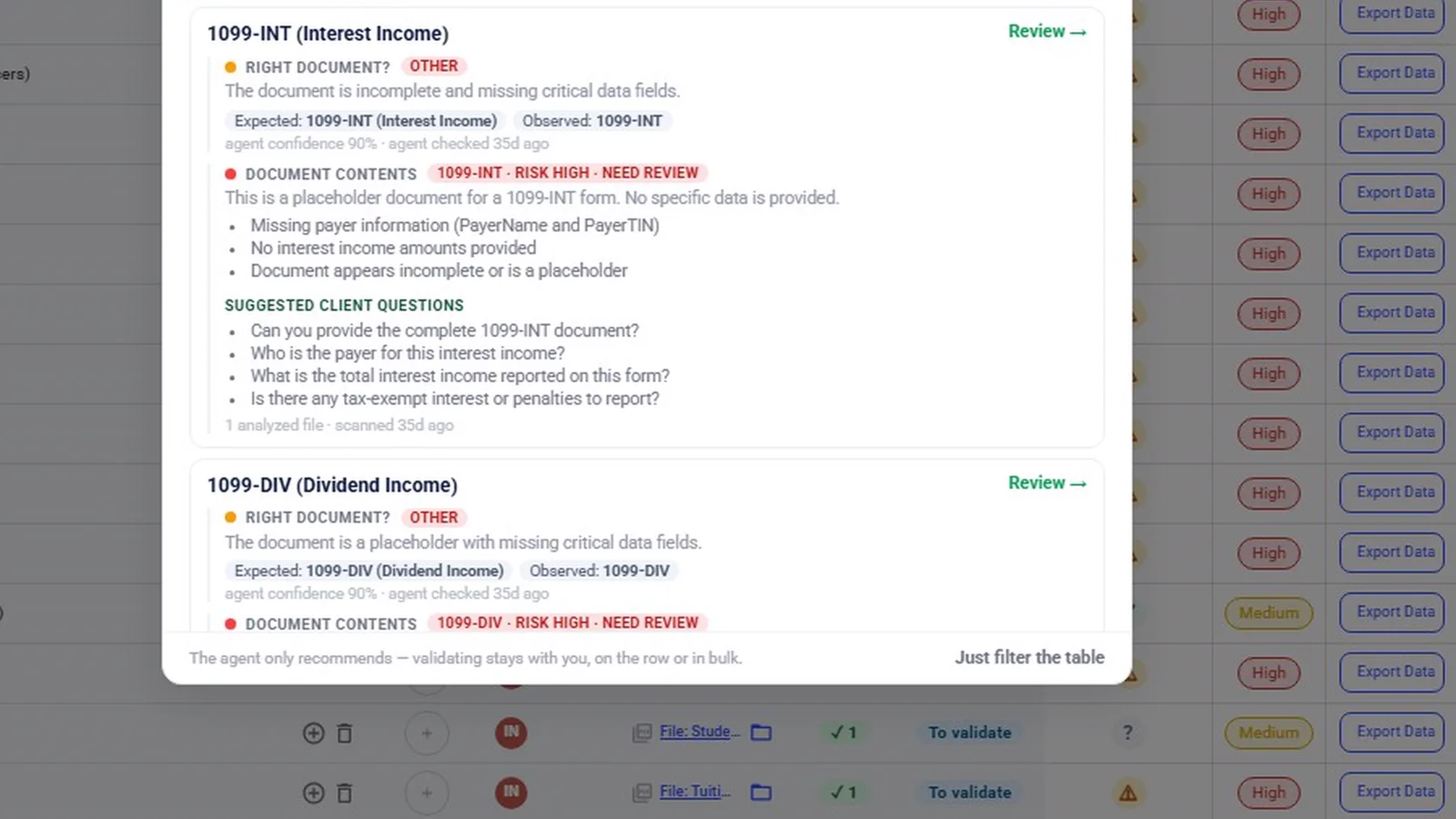
When a client uploads a document, the completeness agent compares it with the request. A finding shows four things:
- what was expected and what was observed;
- what the document contains;
- suggested questions to ask the client;
- a confidence level.
The person reviewing then validates the document, questions it, or leaves it in To validate. They can do that on one row or across many rows at once.
The completeness card on the engagement overview shows how many findings are waiting, with a link to the agent’s activity. Collecting and checking client documents is covered in more depth on client document collection. In the background, InflowSheet classifies documents and extracts fields, and it says so when it doesn’t recognise a document type.
One review room for every agent
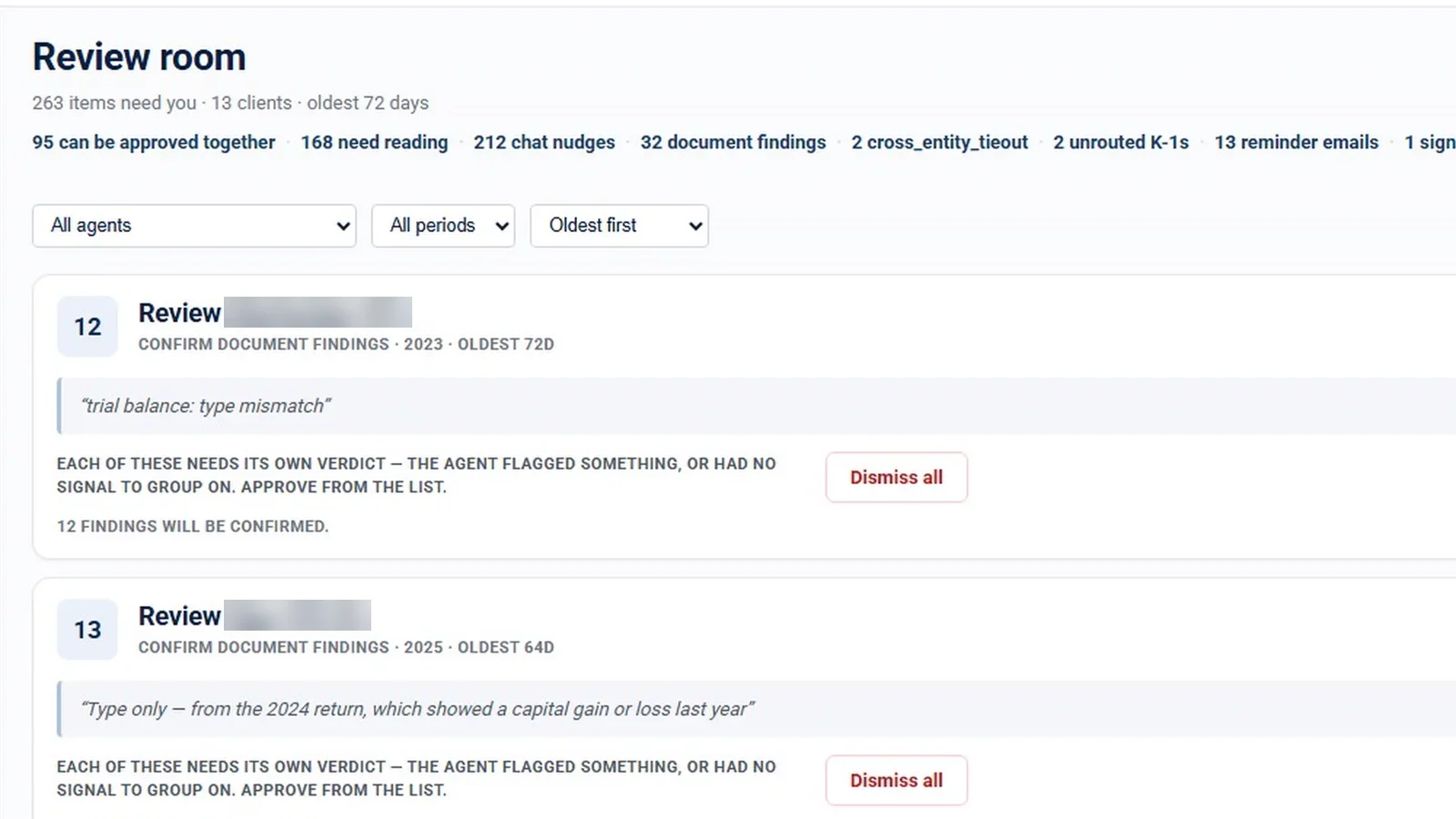
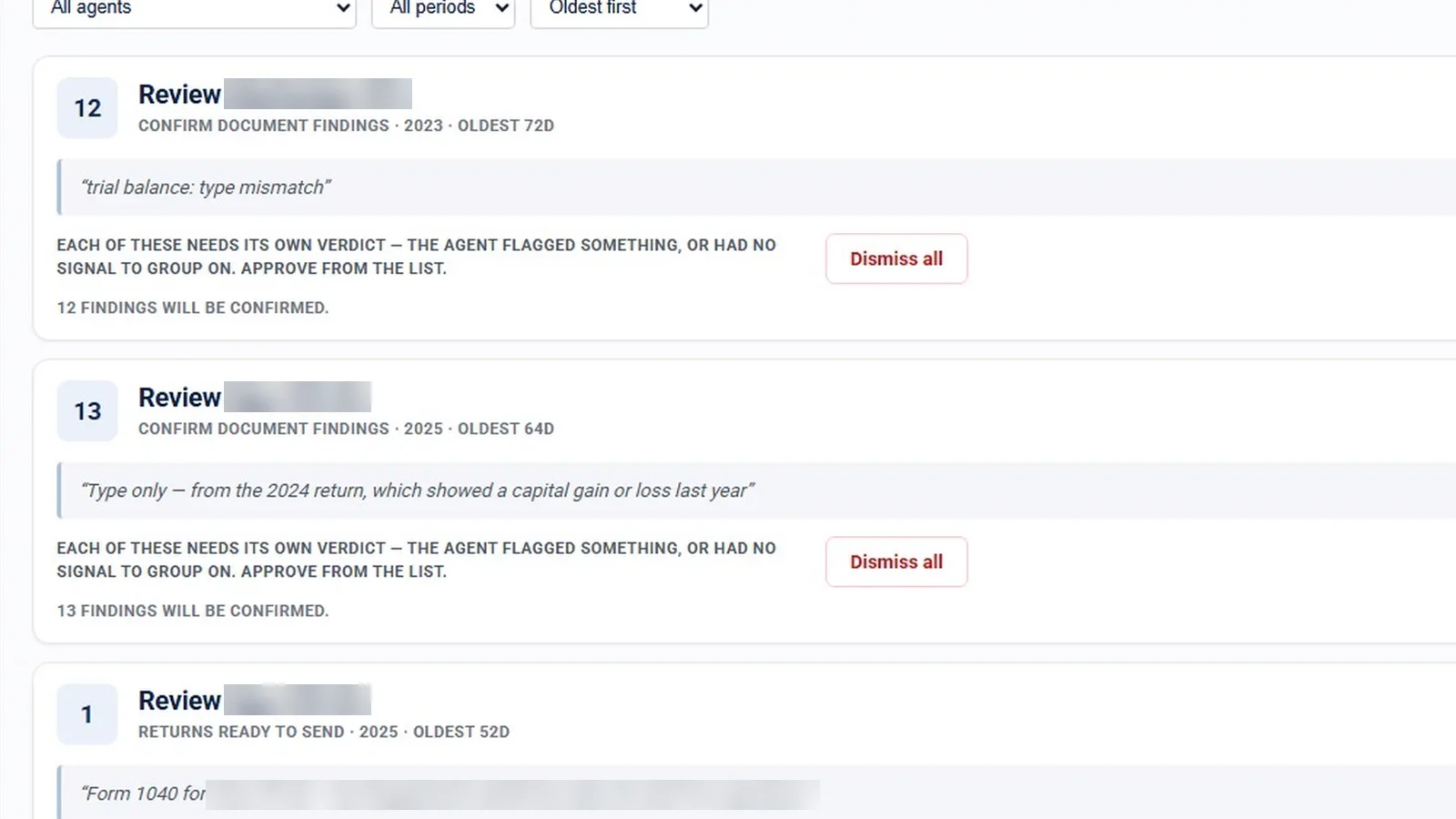
All agent output lands in one Review room, batched by client and by kind of work. A manager doesn’t have to visit twelve engagements to approve twelve chase drafts. The room shows how many items are waiting, how many can be approved together and how many need reading, and how long the oldest item has waited.
Review follows a few rules:
- Routine items can be approved together. Anything an agent flagged, or had no signal on, needs its own verdict.
- Every batch says what approving it will do, for example “1 return will be marked reviewed”.
- Dismissing takes a reason: wrong tone, not needed, wrong recipient or other.
- Batches can be opened and read item by item. Each one shows a sample of its contents.
- Filters narrow the room by agent and period, and the default sort is oldest first, so the longest-waiting work comes up first.
Drafted, not sent: how chase follow-ups work
For a missing document, the Chase agent writes a follow-up that names what is outstanding. The card reads “Nothing here has been sent yet”. The user can edit the draft, approve it and post it to the request’s chat as themselves, or delete it. Until someone approves it, the client sees nothing.
Account mapping and variance assistance
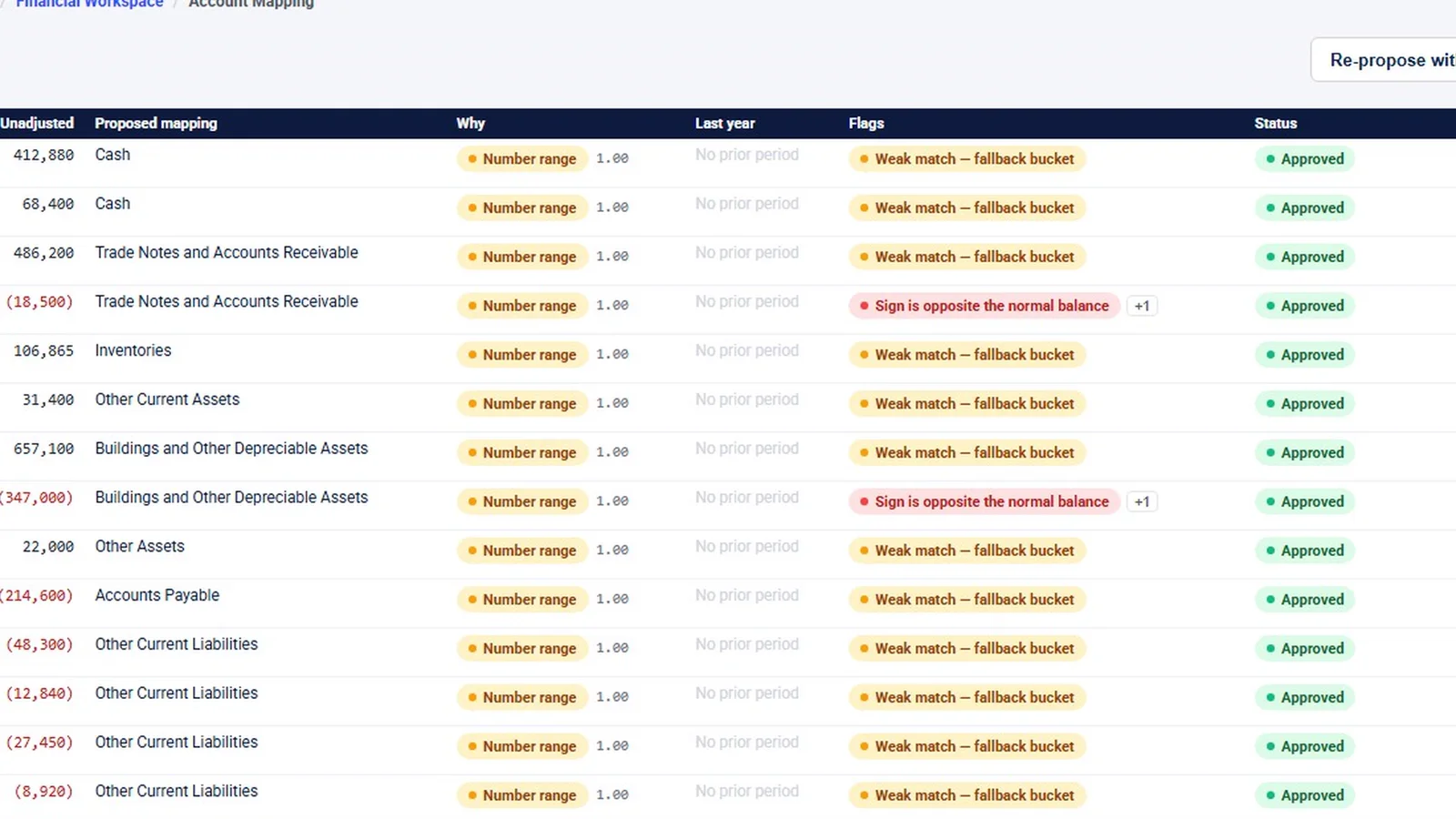
On the trial balance, AI proposes a mapping for each account and shows why (“Propose / Re-propose with AI”). It flags weak matches and signs opposite the normal balance. Rows with no flags can be accepted in one pass; flagged rows are decided one at a time.
For variance analysis, “Draft all with AI” writes commentary for each account as a draft for a person to edit and approve. The trial balance page goes through the full financial workspace.
Autonomy modes: the firm sets how far each agent goes
Each agent has its own autonomy setting, with three modes:
| Mode | What the app says it does |
|---|---|
| Propose | “Drafts the work and waits. Nothing leaves without a person.” |
| Approve to act | One approval carries the work out. |
| Autonomous | Acts only on routine items, never on anything the agent flagged. The firm must choose it. |
Reminder emails can’t be recalled, so an autonomous chase is held for 15 minutes before it sends and can be stopped in that window. The agent panel shows each agent’s current mode, and whether someone set it or it is running on the default. Everything done unattended is written to a log. Reports has an Agents tab showing what the agents did across runs.
The demo workspace’s home strip shows items “posted”, so autonomous agents do act when a firm turns them on. The default is that a person decides.
What the agents do not do
- They don’t make the professional call. The completeness agent only recommends and a person validates. K-1 matching proposes a recipient and a person confirms it. AI-proposed mappings wait for a person to accept them. Audit program sign-offs are never applied automatically.
- They don’t act on flagged items, even in Autonomous mode.
- The output needs review. InflowSheet’s website says it plainly: “AI-assisted output requires professional review and is not accounting, audit, or tax advice”, and “AI-assisted extraction and summarization can be wrong”.
- Data handling. Ask us for the current data-handling details for AI features; see our Security page.
Agents are included for every user at $10 per user per month. To watch the agents, the Review room and the autonomy setting in the app, see the AI agents walkthrough.
Questions firms ask
Do the agents send emails to clients on their own?
Not by default. In the default Propose mode an agent drafts the work and waits, and nothing leaves without a person. A firm can switch an agent to Autonomous for routine items only, and an autonomous reminder is held 15 minutes before it sends.
Can an AI agent validate a client document?
No. The completeness agent recommends; a person validates, questions or leaves the item to validate. The app says it directly: the agent only recommends, validating stays with you.
Is our clients' data used to train AI models?
Ask us for the current data-handling details for AI features. Our security page sets out what InflowSheet does and does not claim.
How can a firm see what the agents did while nobody was watching?
Everything done unattended is written to a log, and Reports has an Agents tab showing what the agents did across runs. The home screen also shows a While you were out summary.
Are the AI agents an extra cost?
No. Agents are included in the $10 per user per month price, with every user getting the whole platform.
Related
See InflowSheet on your own engagements
Start with the free 90-second tour, or request access and we will walk you through it.