Suralink alternative: PBC requests inside the engagement file
Suralink is a specialist PBC request platform with AI audit testing that works alongside your binder. InflowSheet keeps the request list, trial balance, evidence and binder on one engagement, with documents in your firm's SharePoint.
Updated 2026-10-17
Most firms looking for a Suralink alternative are not unhappy with request lists. They are asking a structural question: should the PBC list live in its own system that hands documents to the binder, or should it be part of the same engagement file as the trial balance, the evidence and the sign-offs? This page compares Suralink and InflowSheet on that question, using Suralink’s own public pages as read on October 17, 2026. InflowSheet is not affiliated with Suralink, and Suralink has not reviewed this comparison.
What Suralink is designed to do
Suralink calls itself “the leading agentic automation platform for accounting firms and their clients” [1], and its audit page promises to “simplify and improve the audit experience for you and your clients” [2]. The base product, Suralink CORE, is the request-list platform. Its published feature list includes dynamic request lists, rollforward, a file previewer, pinned and tagged comments, “Ask Anything” AI search, SSO for firms, a customizable user portal, real-time dashboards, 50+ API endpoints, OCR and archiving [3]. Lists can come from templates, from a rolled-over prior list or from an imported spreadsheet, and Suralink states that “your clients access the platform for free” [9].
Around CORE, Suralink sells modules that reach further into audit fieldwork:
- Cloud Testing Suite: a Document Prescreen Agent, a Data Vouching Agent, Workpaper Import to Excel and an AI audit trail [3][4].
- Financial Statement Tie Out: AI checks for mathematical accuracy, internal consistency, prior-year consistency and version comparison, with a report export with tickmarks [3][5].
- Workpaper Suite: an Excel add-in that, in Suralink’s words, “integrates into any binder provider” [3][6].
- Add-ons for secure file sharing and e-signature [3][10].
Where Suralink is a strong choice
Suralink has real strengths, and some firms should stay with it or choose it.
- Audit PBC at scale. Suralink states it is trusted by 1,200+ firms, with 800,000 users and more than 2 million engagements [1].
- AI testing beyond collection. Data vouching, document prescreening and financial-statement tie-out are products InflowSheet does not offer [4][5]. InflowSheet has no financial-statements module.
- Keeping your current binder. Workpaper Suite works alongside Caseware, CCH Engagement and Thomson Reuters Engagement Manager workpapers, and Suralink lists partner integrations with Trullion, Materia and DataSnipper [7]. If your firm is committed to its binder and wants a request layer that feeds it, that is the setup Suralink is built around.
- An open ecosystem. It lists 50+ API endpoints [3], a native Outlook add-in, and connectors for Microsoft Copilot and Claude [7].
- E-signature with KBA, up to five signers per document, positioned for Forms 8878 and 8879 and engagement letters [10].
Where InflowSheet differs
The request list sits on the same engagement as the audit work
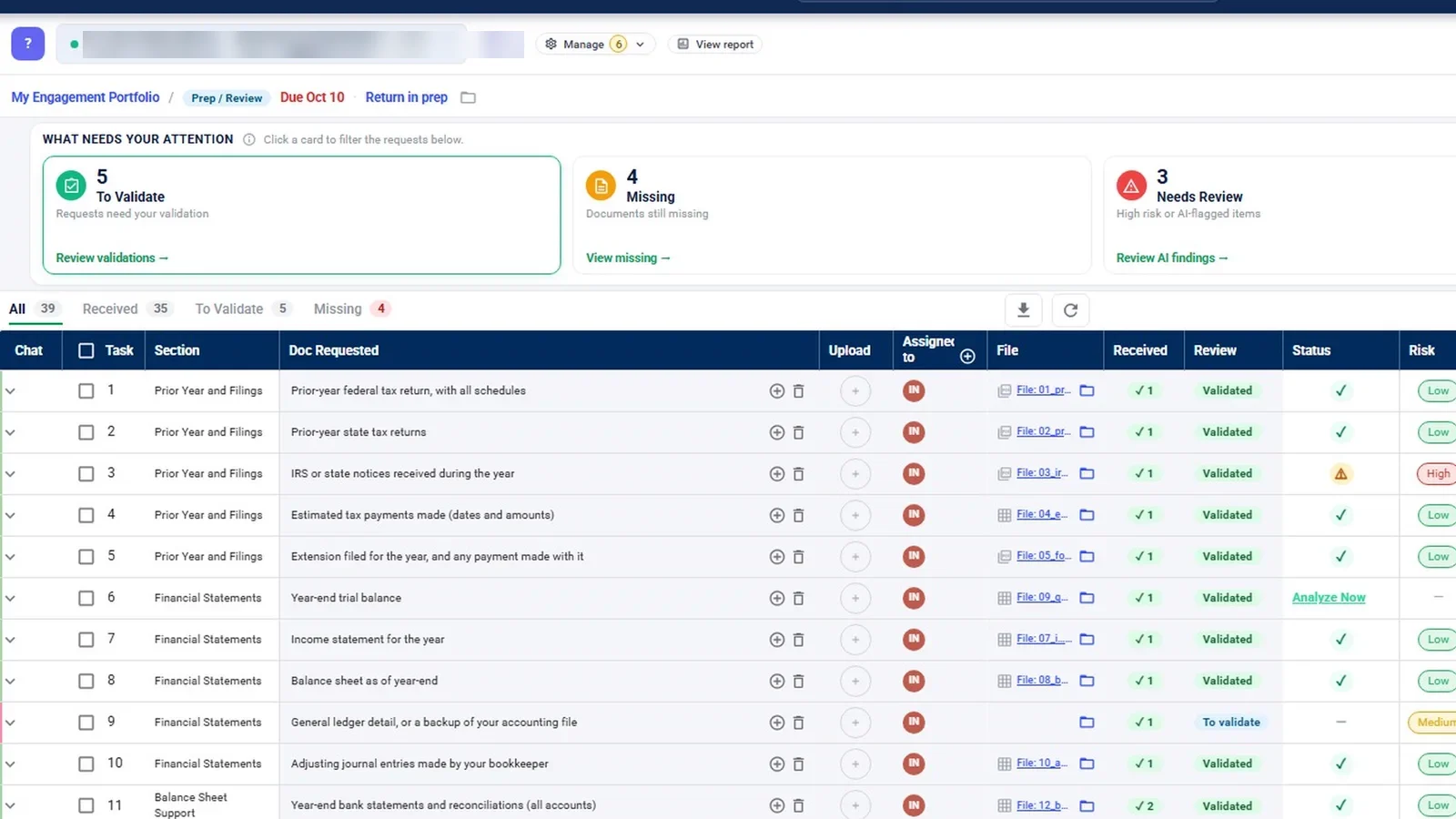
In InflowSheet, each engagement and period has one request list, and it serves as both the PBC list and the tax document checklist. Evidence, the audit program and the binder sit on the same engagement as the trial balance. A trial balance a client uploads to a request row can be analyzed from that row, and importing it is what activates the financial workspace.
From there the work stays in one file:
- On the Evidence page, lead schedule lines are marked Supported, Derived, No evidence or Exception, and unevidenced lines are counted.
- The audit program is the firm’s own. You upload your program document, InflowSheet parses it into sections and steps, a person checks the parse, and it goes live only when someone clicks “Make it live”.
- Each program step needs a performer and a reviewer signature from two different people. Neither is applied automatically.
- The binder assembles the file by index, sections A to G, and shows what is not filed yet.
Suralink’s pricing page describes its Excel add-in as one that “integrates into any binder provider” [3]. As of October 17, 2026, we found no published Suralink binder, audit program or trial-balance mapping product.
To be fair about our side: the InflowSheet demo has no audit-type engagement, so the audit screens in our videos were filmed inside a tax engagement, and the demo binder is empty. InflowSheet has no risk-assessment module.
Where the documents are stored
Suralink’s Workpaper Suite page says linked documents are stored in Suralink, and its security page describes “SOC1, SOC2, and SOC3 compliant data centers”, AES-256 encryption and daily offsite backups [6][8]. We found no SharePoint, OneDrive or Teams integration on its integrations or security pages as of October 17, 2026 [7][8].
InflowSheet keeps engagement documents in your firm’s own SharePoint (see our Security page). Every request has its own SharePoint folder, and each row links to it with “Open folder in SharePoint”. InflowSheet itself also processes and stores engagement data in its Microsoft Azure environment in the US East region, so it is not accurate to say nothing leaves your tenant.
Tax season on the same platform
Suralink’s tax page describes engagements that roll over month to month or year to year, and its e-signature page covers Forms 8878 and 8879 [11][10]. We found no published organizer, K-1 or 1099 workflow on the tax page as of October 17, 2026 [11]. InflowSheet adds a Tax Returns pipeline, client-then-ERO signing in DocuSign, a five-step K-1 page where matching proposes a recipient and a person confirms, and a 1099 Season workspace. IRS filing of 1099s is a manual upload step in InflowSheet, not e-filing.
Feature comparison
| Capability | Suralink | InflowSheet |
|---|---|---|
| PBC request lists with templates and rollforward | Yes (source [3], [9]) | Yes: build from a prior engagement, template or Excel; period roll-over |
| Comments on request items | Pinned and tagged comments (source [3]) | Chat thread per request row, with @mentions |
| AI review of uploads | Document Prescreen Agent (source [4]) | Completeness agent compares each document with the request; a person validates |
| Data vouching and financial-statement tie-out | Yes (source [4], [5]) | No |
| Excel workpaper add-in | Yes (source [6]) | No |
| Trial balance mapping and variance | No published product found as of Oct 2026 | Yes, in the Financial Workspace |
| Audit program and binder | Excel add-in that integrates into the firm’s binder provider (source [3]) | Firm’s own program, evidence and binder A–G |
| Document storage | Suralink storage (source [6], [8]) | Firm’s SharePoint, per-request folders |
| SharePoint or Teams integration | Not published as of Oct 2026 | Yes |
| E-signature | Add-on, with KBA (source [3], [10]) | DocuSign, with a firm KBA setting for tax returns |
| Published API | 50+ endpoints (source [3]) | Ask us |
| Published price | Not published (source [3]) | $10 per user per month |
Microsoft 365: where each one meets your team
The two products touch Microsoft 365 in different places.
- Suralink meets your team in Outlook and Excel. It lists an Outlook add-in for secure file sharing, the Workpaper Suite inside Excel, and a Microsoft Copilot connector [7][6]. Its pricing page lists “SSO for firms” without naming the identity provider [3].
- InflowSheet meets your team in SharePoint and Teams. Users sign in with their Microsoft accounts after a Global Admin grants consent once, and firms can turn on Microsoft single sign-on. Each engagement works with a private Teams team and channel that the firm creates or links. Files land in that team’s SharePoint, and documents added for signature are filed into the engagement’s folder.
InflowSheet has no Outlook add-in, no Excel add-in and no OneDrive integration. If your staff live in Outlook and Excel, weigh that honestly. For the SharePoint side in detail, see how InflowSheet works with Microsoft 365.
How one PBC item moves
Take a single request, such as bank statements for the year. In InflowSheet:
- The row shows its section, who it is assigned to and its risk rating.
- The client uploads straight onto the row: up to 30 files at 10 MB each, or a phone photo.
- The upload waits as pending until someone on your team reviews it.
- The completeness agent compares it with the request (wrong type, wrong year, wrong entity). It only recommends; a person validates or questions the item.
- Questions stay in that row’s chat, and a colleague can be @mentioned.
- If the item is still missing, a Chase agent drafts a follow-up. It waits for approval by default.
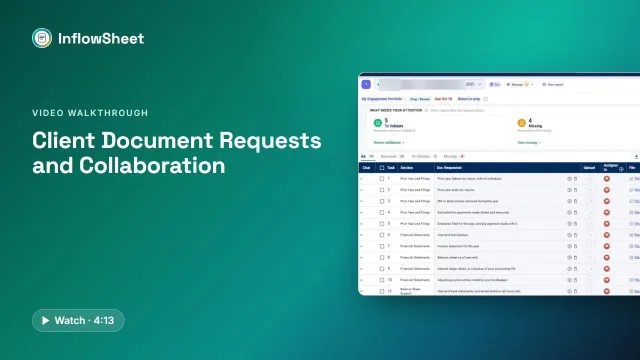 Full walkthrough · 4:13 · access requiredClient document requestsOne request list per engagement: what came in, what is wrong with it, and what to send next.
Suralink covers the same ground with its own tools: comments, dashboards and the Document Prescreen Agent [3][4]. The difference is what happens next. In InflowSheet the validated document is already on the engagement that carries the lead schedules, evidence and binder; see audit evidence management for that half.
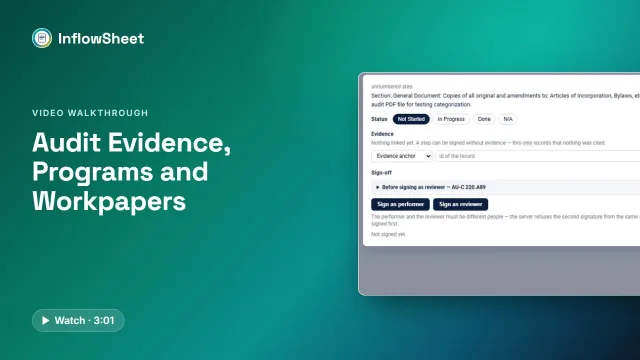 Full walkthrough · 3:02 · access requiredEvidence, programs and binderEvidence by lead schedule line, your own audit program with two signatures, and a binder indexed A to G.
Pricing, as published on October 17, 2026
- Suralink: not published. The pricing page says “Every company and team has different needs. Reach out to us, and we can find the right plan for you.” [3] We don’t repeat third-party price listings, because Suralink has not published them.
- InflowSheet: $10 per user per month. One price, no modules and no add-ons; every user gets the whole platform. See InflowSheet pricing.
Which one fits your firm
Suralink is likely the better fit if you run a large audit practice that wants AI vouching or financial-statement tie-out, you are committed to Caseware, CCH Engagement or Thomson Reuters workpapers, or you need a published API and a broad partner ecosystem. Suralink’s security page also describes its compliant data centers [8]; InflowSheet does not hold a SOC 2 report or ISO 27001 certification.
InflowSheet is likely the better fit if you want PBC requests, the trial balance, evidence, your own audit program and the binder on one engagement, with documents in your SharePoint and a published per-user price. It also suits firms whose audit staff also work tax season. Our guide on how to organize audit PBC requests and the PBC request management page go further.
Questions firms ask
How much does Suralink cost?
Suralink does not publish prices. Its pricing page, read on October 17, 2026, asks firms to contact the company for a plan. InflowSheet publishes one price: $10 per user per month, with every user getting the whole platform.
Does Suralink integrate with SharePoint or Teams?
We found no SharePoint, OneDrive or Teams integration on Suralink's integrations or security pages as of October 17, 2026. Suralink does list an Outlook add-in, an Excel workpaper add-in and a Microsoft Copilot connector.
Can InflowSheet replace our binder software as well as our PBC tool?
InflowSheet has evidence, the firm's own audit program and a binder indexed A to G on the same engagement as the trial balance. It has no risk-assessment module and no financial-statements module, so check those against how your firm works before you plan to retire anything.
How do we move PBC lists off Excel and email?
In InflowSheet a request list can be built from a previous engagement, a saved template or from scratch, or uploaded from an Excel template in column or matrix form. Each item then carries its own upload, review status and chat thread.
Does InflowSheet send client reminders automatically?
By default, no. A Chase agent drafts the follow-up for missing items and nothing goes to the client until a person approves it. A firm can opt an agent into autonomous mode for routine items, with a 15-minute hold before anything sends.
Sources
- Suralink homepage (retrieved 2026-10-17)
- Suralink audit page (retrieved 2026-10-17)
- Suralink pricing page (retrieved 2026-10-17)
- Suralink Cloud Testing Suite (retrieved 2026-10-17)
- Suralink Financial Statement Tie Out (retrieved 2026-10-17)
- Suralink Workpaper Suite (retrieved 2026-10-17)
- Suralink integrations page (retrieved 2026-10-17)
- Suralink security page (retrieved 2026-10-17)
- Suralink Request List Management (retrieved 2026-10-17)
- Suralink E-Signature (retrieved 2026-10-17)
- Suralink tax page (retrieved 2026-10-17)
Related
See InflowSheet on your own engagements
Start with the free 90-second tour, or request access and we will walk you through it.