Audit evidence, audit programs and the binder: a workpaper walkthrough
Workpapers that stay tied to the numbers: evidence by line, your firm's own program, and a binder assembled by index.
The full walkthrough opens in the library after you add your name and work email. The 90-second tour needs no email.
 Full walkthrough in the library · 3:02
Who this walkthrough is for
Audit partners, managers and seniors who want workpapers that stay connected to the trial balance. A reviewer opening a tick-marked PDF usually has to trust that it still matches the numbers. This walkthrough shows evidence, the program and the binder reading from the same engagement as the TB.
What the walkthrough covers
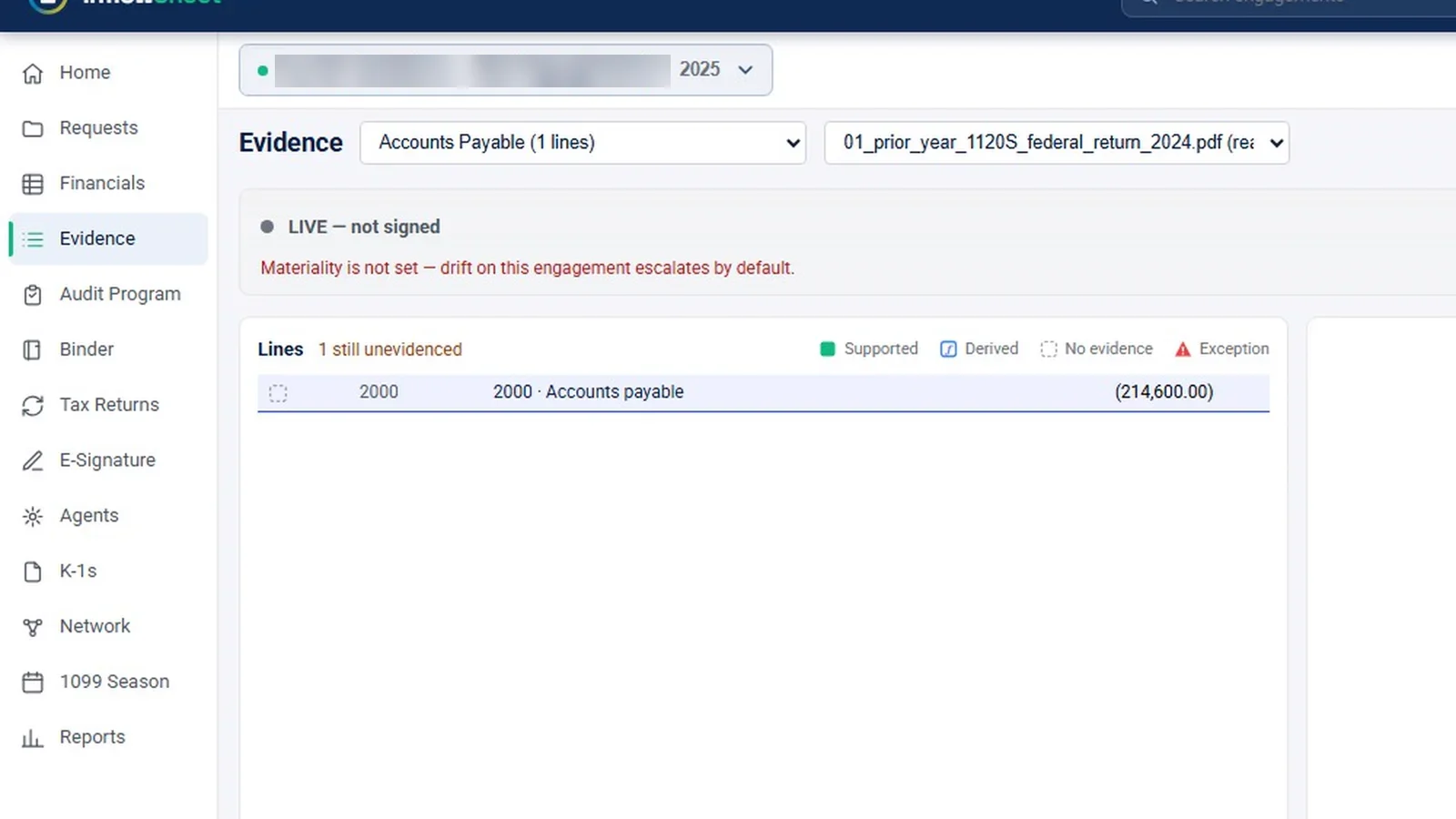
- Evidence: pick a lead schedule and a source document; lines are marked Supported, Derived, No evidence or Exception, and unevidenced lines are counted. The page has its own preparer and reviewer sign-off, warns when materiality isn’t set, and tracks confirmations.
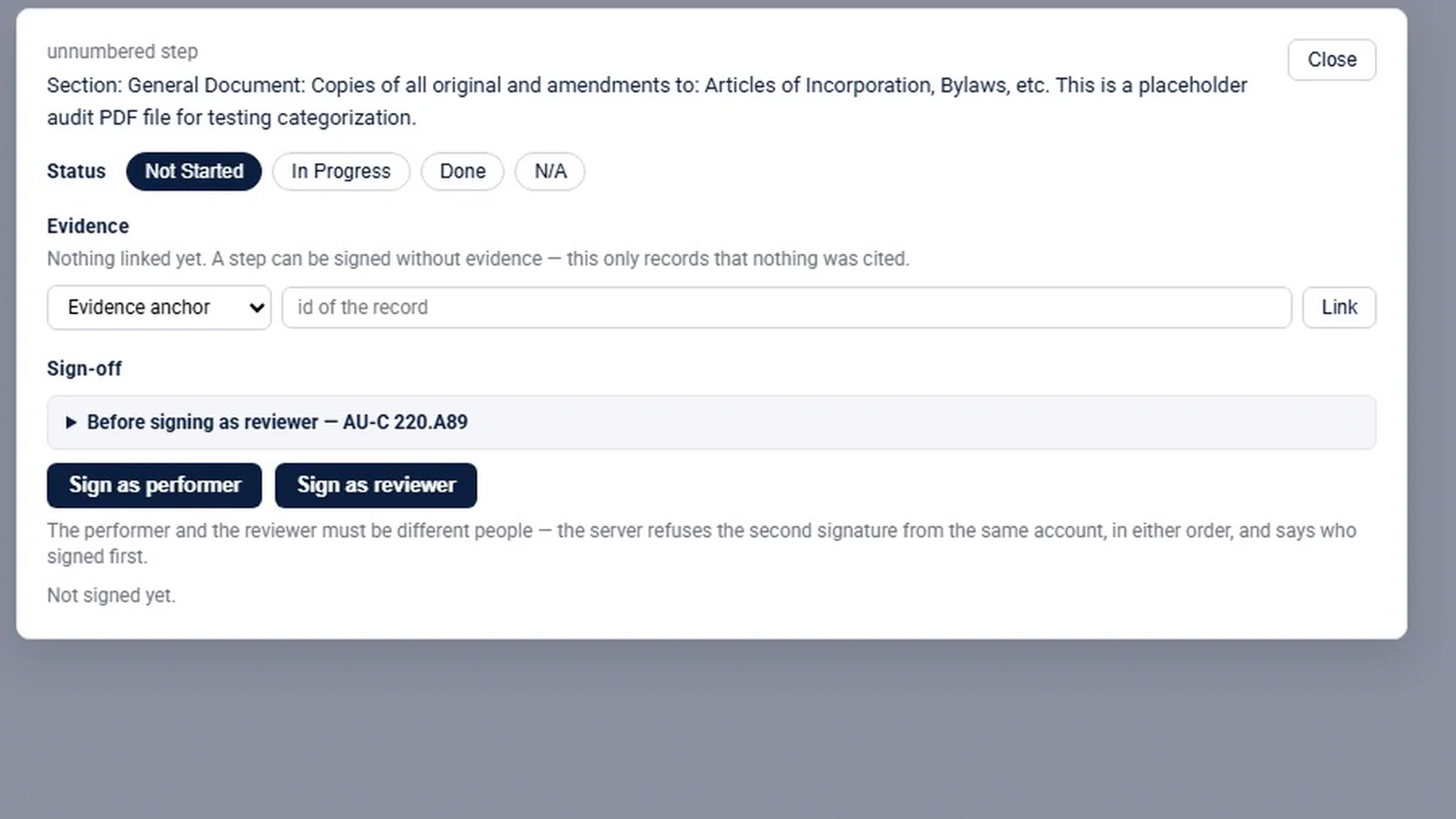
- Audit program: upload and parse your own program, check it, make it live; a firm library with Start from this and Retire; steps with performer and reviewer signatures; a step turns red when evidence it cites stops agreeing.
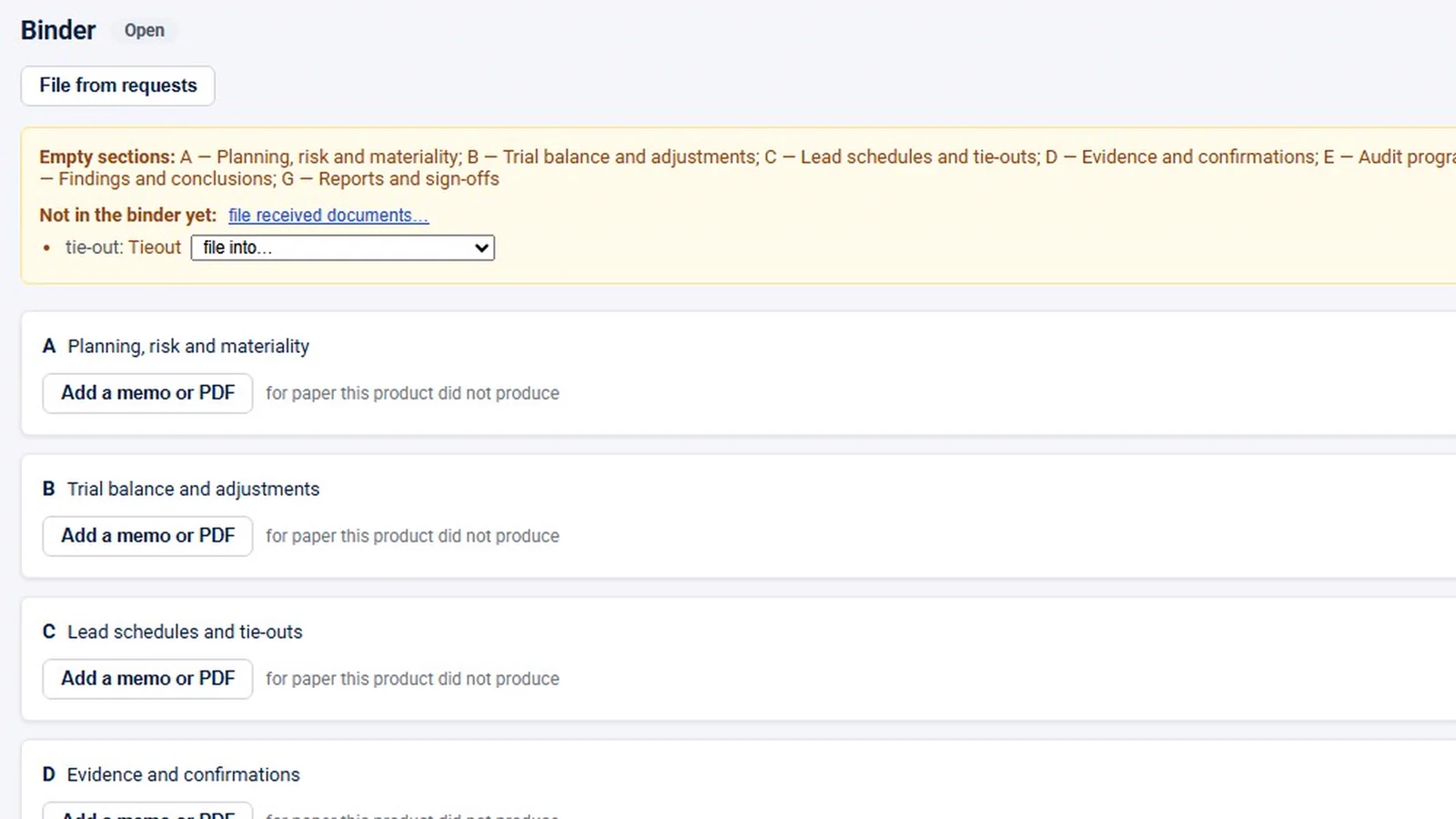
- Binder: the file assembled by index, sections A to G, a list of what isn’t filed yet, memos or PDFs for outside paper, and the file lock.
- Scope: a plain statement that there is no separate risk-assessment module.
Why it matters
Reviewers need to know that the evidence and the program steps still agree with the numbers they support. Tying evidence, program steps and the binder to the same engagement as the trial balance, with two different people signing each step, makes that link visible instead of assumed. When something stops agreeing, the program step shows it, rather than the problem surfacing late in review.
What the demo data does not show
The demo data is thin. There is one evidence line and no snips, so drawing snips on a source PDF was never filmed. The program is a one-step placeholder, and every binder section is empty. Program parsing, the red-step rule and the binder lock are graphics based on the app’s code; the lock was never clicked. The demo has no audit engagement, so these screens were filmed inside a tax engagement.
Related features
Read about audit evidence management and the guide on organizing engagement documentation. The numbers this evidence supports are covered in the trial balance walkthrough, and the PBC side in PBC request management.
Screens from the walkthrough
Questions firms ask
Can we use our own audit program?
Yes. The audit program is the firm's own. You upload the program document, InflowSheet parses it into sections and steps, a person checks the parse, and it goes live only when someone clicks Make it live.
Is there a risk assessment module?
No. The binder has a planning, risk and materiality section for your memos and requests carry a risk rating, but the risk assessment itself is your team's work.
Can the same person sign as performer and reviewer?
No. Each program step has two signatures, performer and reviewer. They must be different people, and neither is applied automatically.
What happens when the audit file is locked?
Locking starts the AU-C 230 assembly window. Every indexed workpaper is hashed and signed, documents are copied to write-once storage, and there is no unlock, though addenda are still allowed.
Related
Watch the full walkthrough
Start with the free 90-second tour, then open the full library with your name and work email.