A trial balance review workflow for CPA firms
A trial balance review goes wrong in the same places every year: an unfooted import, a mapping nobody checked, a variance with no explanation, a lead schedule changed after sign-off. This is a workflow that closes each of those gaps in order.
Updated 2026-10-17
A trial balance review workflow is the order in which a firm turns a client’s raw trial balance into numbers a reviewer is willing to sign. The steps are familiar to anyone who has worked an audit, review or business tax return. The problems come from doing them out of order, or doing them in a spreadsheet where nothing records that a step happened. A mapping changes after the leads were reviewed. A variance is “explained” in an email nobody filed. The adjusted balance in the workpaper no longer matches the one in the tax return.
The eight steps below apply whether the end product is an audited financial statement, a reviewed one, or an 1120-S. Where auditing standards set a requirement, it is cited; the standards are the AICPA’s clarified auditing standards (AU-C sections) [1].
Step 1: Import the trial balance and make sure it foots
Every review starts with a known version of the data. Record where the trial balance came from (file export, accounting system connection), the as-of date, and when it was received. Then check two things before anyone looks at a single account:
- It foots. Total debits equal total credits. A trial balance that does not foot is not a trial balance yet, and every later step will inherit the error.
- It is complete. The account count is roughly what you expect, there are no blank account numbers, and year-end closing entries are or are not included, consistently with last year.
When the client sends a corrected trial balance, treat it as a new version rather than overwriting the old one. Keep the earlier version and note why it was replaced. A reviewer will eventually ask which numbers a variance comment was written against.
Step 2: Map every account
Mapping assigns each client account to a grouping: a financial statement line, a lead schedule, a tax line, or all three. It is the step where most silent errors enter.
- Map every account, including zero-balance ones. An unmapped account with no balance this year may carry one next year.
- Flag the odd ones. An account whose balance has the opposite sign to its normal balance (a credit balance in an expense account, for example) is worth a look even if the mapping is right.
- Re-check carried-forward mappings. Last year’s mapping is a good starting point, but clients rename and repurpose accounts. A mapping that came forward should be marked as not yet reviewed this year.
- Treat unmapped accounts as open items. They belong on the reviewer’s list of things blocking sign-off, not in a footnote.
Step 3: Compare to the prior period
Load the prior-year final balances (the adjusted ones, not last year’s first import) next to the current year. Without a prior period, every account looks new and variance analysis has nothing to compare against.
Check that the prior-year figures agree to last year’s issued financial statements or filed return. A mismatch here usually means a late adjustment last year that never made it back into the client’s books. It is better found in week one than in final review.
Step 4: Set variance thresholds and write the commentary
Variance analysis decides which movements need an explanation. The threshold has to be set before the analysis, not after the list looks long.
For audits, AU-C 520 is specific. When analytical procedures are used as substantive procedures, the auditor develops an expectation and determines “the amount of any difference of recorded amounts from expected values that is acceptable without further investigation” [1]. Differences beyond that amount are investigated by inquiring of management, obtaining evidence relevant to the responses, and performing other procedures as needed [1]. The documentation then includes the expectation, the results of the comparison, and the further procedures and their results [1].
For reviews and tax work the standard is different, but the practice is the same:
- Pick a threshold that combines dollars and percentage. A dollar floor tied to materiality stops tiny accounts with large percentage swings from flooding the list. A percentage stops large, stable accounts from hiding real movement.
- Write an expectation, then the explanation. “Revenue up 12%, expected given the new contract signed in Q2 and confirmed to the contract file” is useful. “Increase due to business growth” is not.
- Point to the evidence. The comment should say what supports it: an invoice listing, a payroll report, a client email kept in the file.
- Close the loop. If the explanation does not hold up, the variance becomes a finding or an adjustment, not a softer comment.
Drafting tools can help with the first pass of commentary, but the person signing still owns the explanation. Read each draft against the evidence before accepting it.
Step 5: Propose, approve and post adjustments
Adjustments move the trial balance from unadjusted to adjusted. Treat each one as a draft until it is approved:
- Balanced entries only. Every proposed entry should balance on its own.
- One reason per entry. Reclassification, correction of error, accrual, tax adjustment. A reviewer reading the adjustment list should not need to reverse-engineer the purpose.
- Approve before posting. The person proposing should not be the only person approving.
- Keep the passed ones. For audits, AU-C 450 requires the auditor to accumulate misstatements identified during the audit, other than those that are clearly trivial [1]. Proposed entries the client declines still belong in the file, on a summary of uncorrected misstatements.
- Snapshot the adjusted balance. Once entries are approved, the adjusted trial balance should be a version you can return to, not a moving target.
Step 6: Tie out to outside evidence
A tie-out shows that a balance agrees to something outside the trial balance: a bank confirmation, a loan statement, a payroll register, a fixed-asset subledger.
Keep tie-outs next to the lead schedules they support. A cash lead with three bank tie-outs attached is reviewable in minutes. The same three reconciliations in a separate folder take a search.
Step 7: Build lead schedules from the mapping
Lead schedules roll mapped accounts up by grouping: cash, receivables, fixed assets, accrued liabilities, equity, revenue, and so on. If mapping in step 2 was done properly, leads are mostly arithmetic. Check that:
- every mapped account appears on exactly one lead;
- each lead ties to the adjusted trial balance total for its grouping;
- accounts with no lead assignment are flagged rather than dropped.
For audits, this chain from financial statements to leads to the trial balance is what lets the file meet AU-C 330: the documentation should “demonstrate that information in the financial statements agrees or reconciles with the underlying accounting records” [1].
Step 8: Reviewer sign-off, and re-review when numbers move
Sign-off is evidence that a person looked. AU-C 230 requires the auditor to record “who performed the audit work and the date such work was completed” and “who reviewed the audit work performed and the date and extent of such review” [1]. Good practice outside audits is the same.
The weak point is what happens after sign-off. If a late adjustment changes a balance on a lead the reviewer already signed, that signature no longer covers the number. Build a rule that a change after sign-off sends the schedule back for re-review. In spreadsheets, this depends on people remembering. In a system, it can be enforced.
Before final sign-off, run one more check: is there a single list of everything still open? Unmapped accounts, variances without commentary, adjustments awaiting approval, leads not reviewed. If that list is empty, the review is done.
How InflowSheet supports a trial balance review workflow
This section describes InflowSheet, the engagement platform we build. Each step above maps to a screen in its Financial Workspace, which lives inside the engagement.
- Import and foot. Each import is a new version (“Import new version”), and InflowSheet checks that it foots, marking it “DOES NOT FOOT” otherwise. A trial balance can come from a file, or from QuickBooks Online once the client’s company is connected through Intuit’s consent screen.
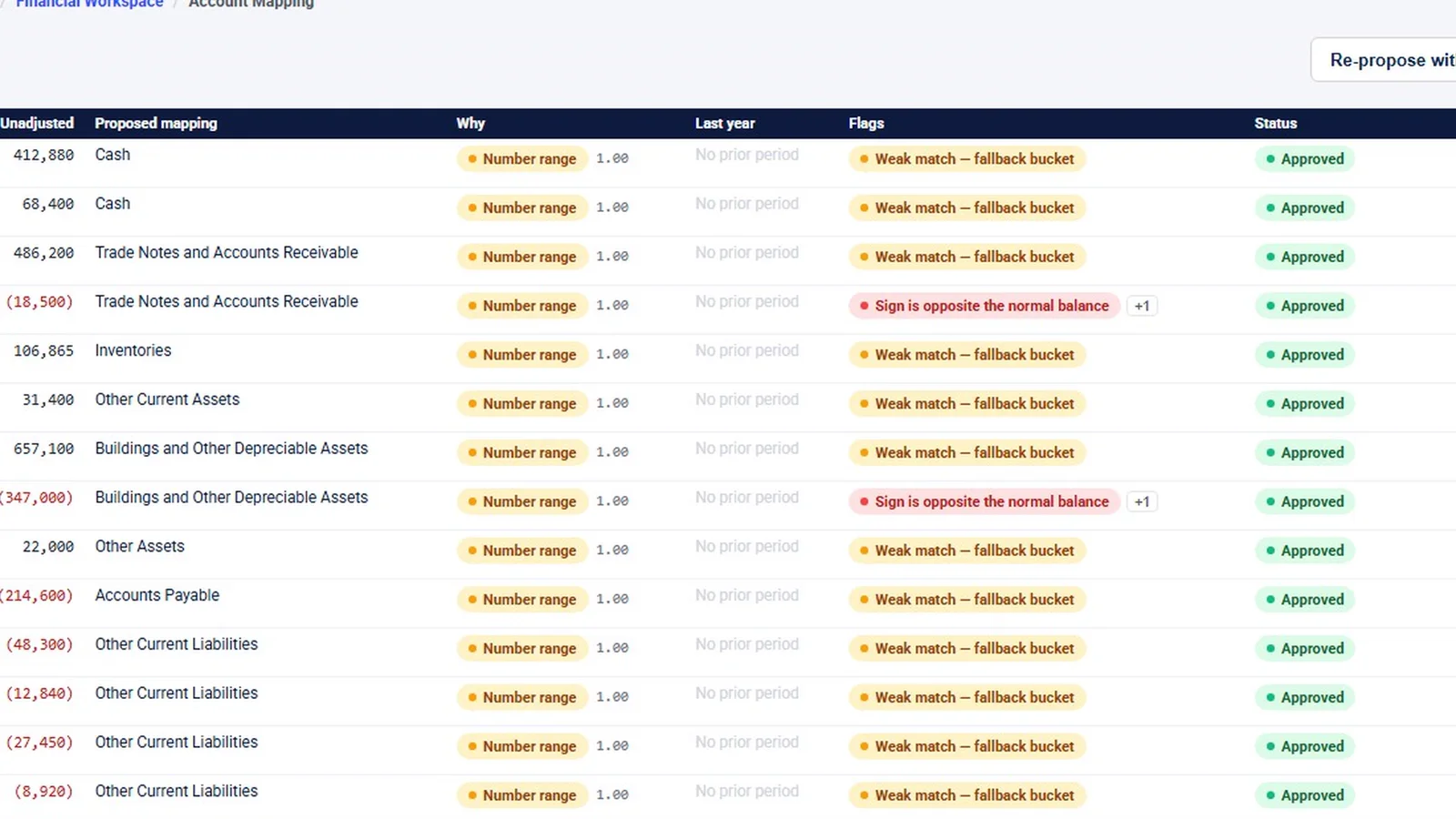
- Mapping. InflowSheet proposes a mapping for every account, shows why, and raises flags such as a weak match or a sign opposite the normal balance. Rows with no flags can be accepted in one pass; flagged rows are decided one at a time, and rejecting a mapping takes a reason. Mappings carry forward between imports and are marked as not reviewed this time.
- Variance. Variance analysis flags period-over-period movement and warns when there is no approved materiality or prior period. “Draft all with AI” writes commentary as drafts to edit and approve, and each account has its own “Add commentary” button.
- Adjustments. Entries are balanced drafts that someone approves before they post, and approved entries become a versioned adjusted snapshot.
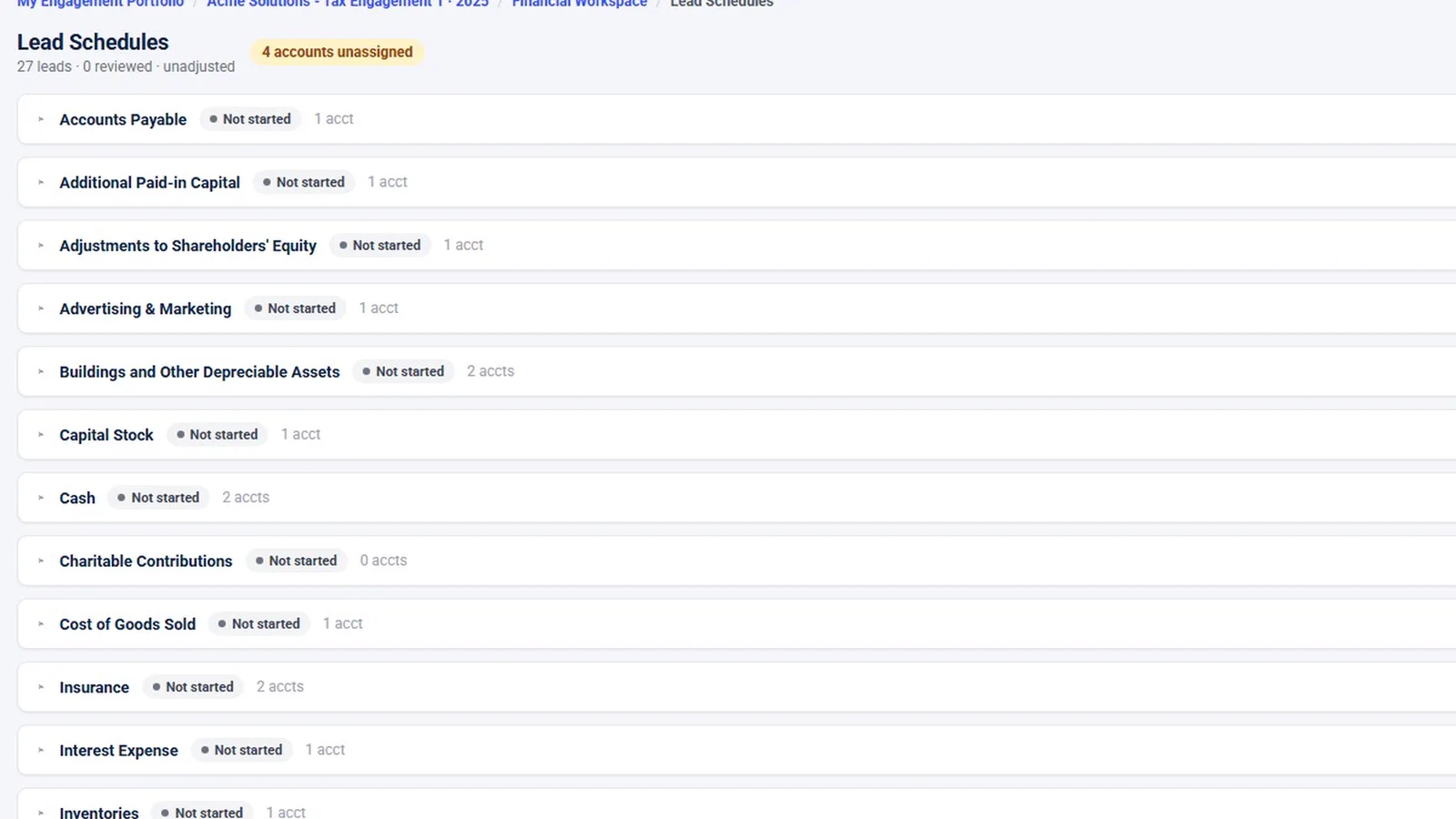
- Tie-outs and leads. Tie-outs reconcile balances to outside amounts, with an automatic trial balance foot tie-out built in, and can be linked to the lead schedules they support. Lead schedules roll mapped accounts up by grouping, carry a preparer and a reviewer sign-off, and are marked for re-review if a number changes after sign-off. Unassigned accounts are flagged.
- One list of open decisions. The Financial Review Console lists unmapped accounts, variances needing commentary and leads not reviewed, each linking to where it gets fixed. The console has no sign-off of its own; sign-off happens where the work is.
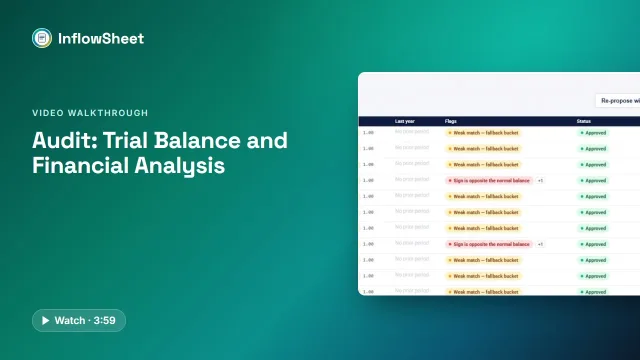 Full walkthrough · 3:59 · access requiredTrial balance and analysisTB import and versions, account mapping, variance commentary, tie-outs and lead schedules in one workspace.
What it does not do. InflowSheet has no financial-statements module and does not roll workpapers forward year to year. In the demo, anomaly detection was never run and there are no adjustment entries, so those screens appear empty in the video. The full feature list is on the trial balance page, evidence and the binder are covered on audit evidence management, and requesting the trial balance from the client is part of PBC request management. Every user gets the whole platform for $10 per user per month (pricing).
A one-page version for the team
- Import, record the source and version, confirm it foots.
- Map every account; flag odd signs; re-check carried-forward mappings.
- Load prior-year final balances and agree them to last year’s output.
- Set the variance threshold first; write expectation, explanation and evidence.
- Draft balanced adjustments with reasons; approve before posting; keep passed entries.
- Tie key balances to outside evidence and attach them to their leads.
- Roll up leads from the mapping; flag unassigned accounts.
- Preparer and reviewer sign with dates; any later change sends it back for re-review.
Questions firms ask
What is a good variance threshold for trial balance review?
There is no universal number. Firms usually combine a dollar amount tied to materiality with a percentage, so small accounts with large percentage swings do not flood the list. For audits, when analytical procedures are used as substantive procedures, AU-C 520 requires the auditor to determine what difference is acceptable without further investigation.
Should we map trial balance accounts to tax lines or to financial statement groupings?
Many firms do both, with one mapping driving lead schedules and another driving tax lines. Whatever you choose, map every account, flag unmapped ones as open items, and re-check mappings that carried forward from last year.
Who should sign off a lead schedule?
A preparer and a different reviewer, each with a date. AU-C 230 requires audit documentation to record who performed the work and when, and who reviewed it and the date and extent of the review.
What happens if a number changes after the reviewer signed?
The sign-off no longer covers the current number, so the schedule should go back for re-review. Tools differ on whether they enforce this; in a spreadsheet it relies on discipline.
Can InflowSheet import a trial balance from QuickBooks Online?
Yes. A trial balance can be imported from a file, or from QuickBooks Online once the client's company is connected through Intuit's consent screen.
Sources
Related
See InflowSheet on your own engagements
Start with the free 90-second tour, or request access and we will walk you through it.