AI agents for CPA firms: document checks, drafted follow-ups and one review room
Agents that do the reading and the drafting, built around one rule: they propose, and people decide.
The full walkthrough opens in the library after you add your name and work email. The 90-second tour needs no email.
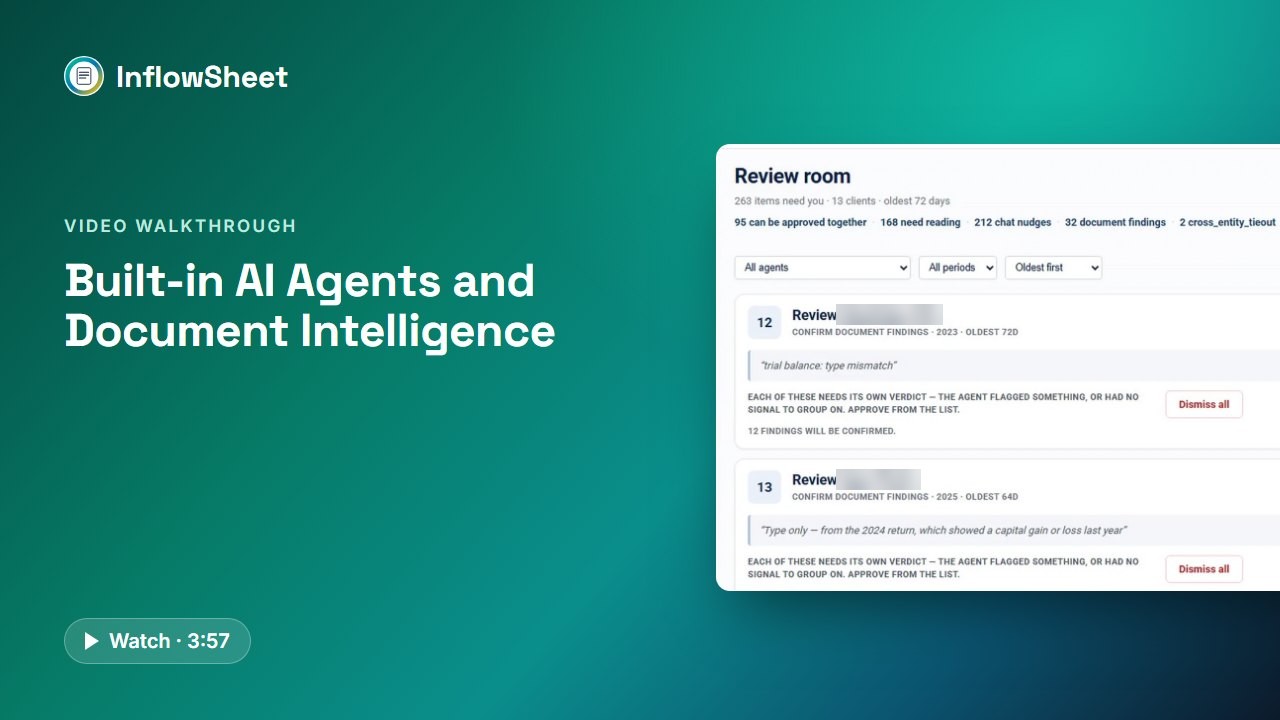 Full walkthrough in the library · 3:58
Who this walkthrough is for
Firm owners and managers weighing AI agents who want to see what the agents actually do and where people stay in charge. A lot of firm time goes to necessary but repetitive work: reading a document to see if it is the right one, writing the third reminder, checking which signatures are still out.
What the walkthrough covers
- The agents: Chase for outstanding documents, Completeness, Signature Chase, Organizer and the Return Send Sentinel, plus a K-1 chase.
- Where their work shows: the “While you were out” strip on Home, and an agent card in each module, such as Tax Returns.
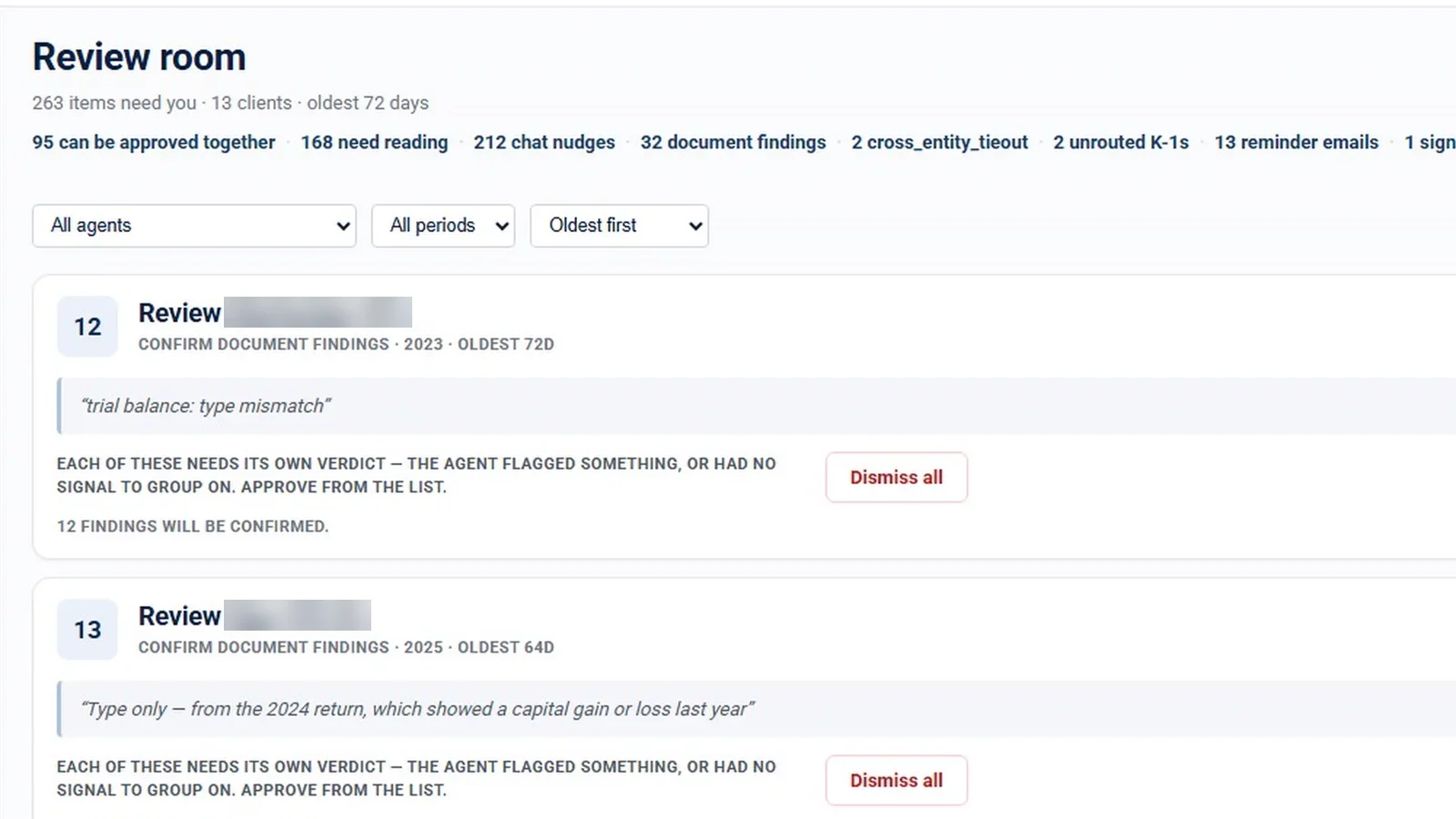
- Review room: all agent output batched by client and kind of work, approve-together for routine items, dismiss with a reason, and an oldest-first sort that shows how long items have waited.
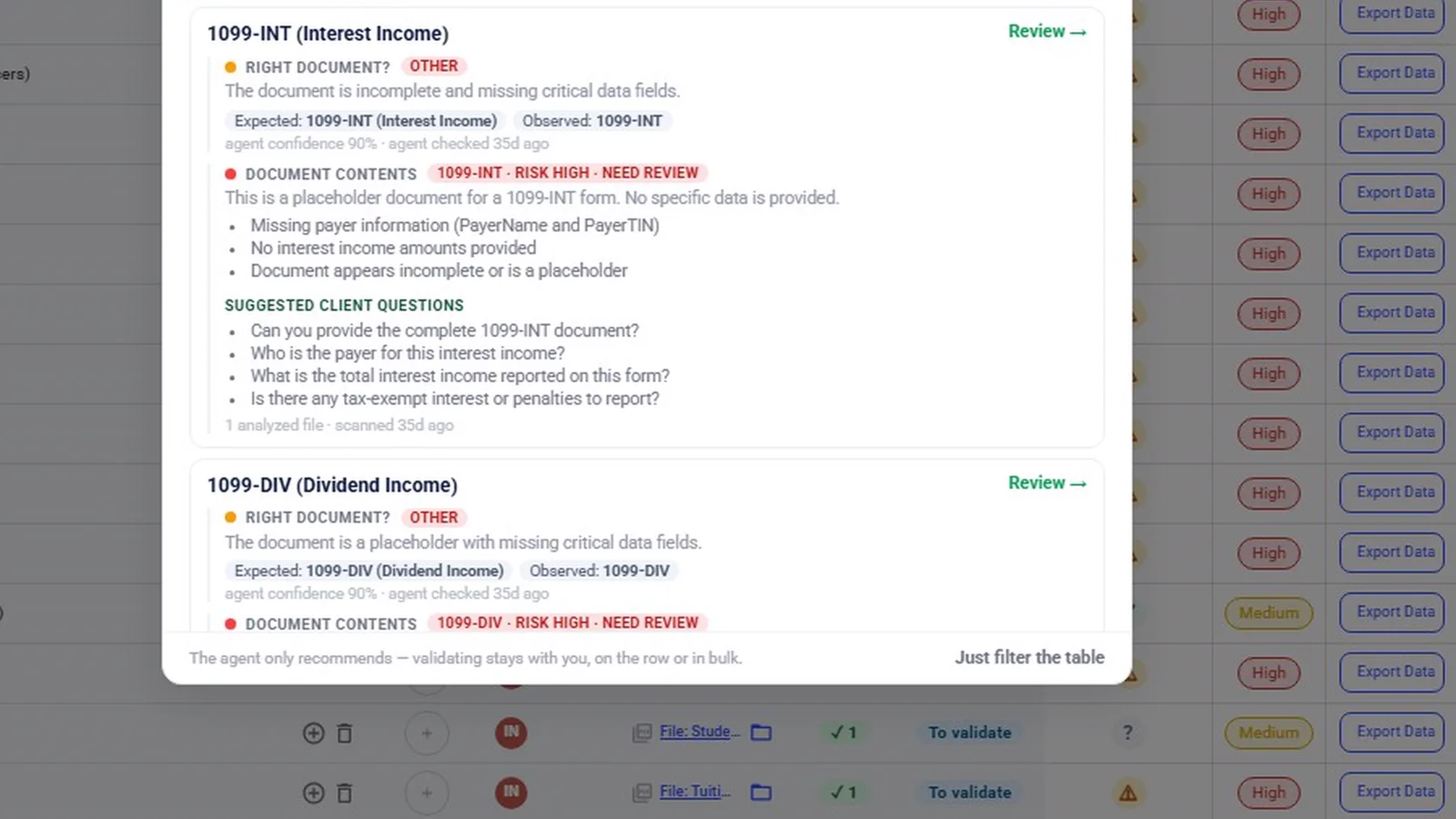
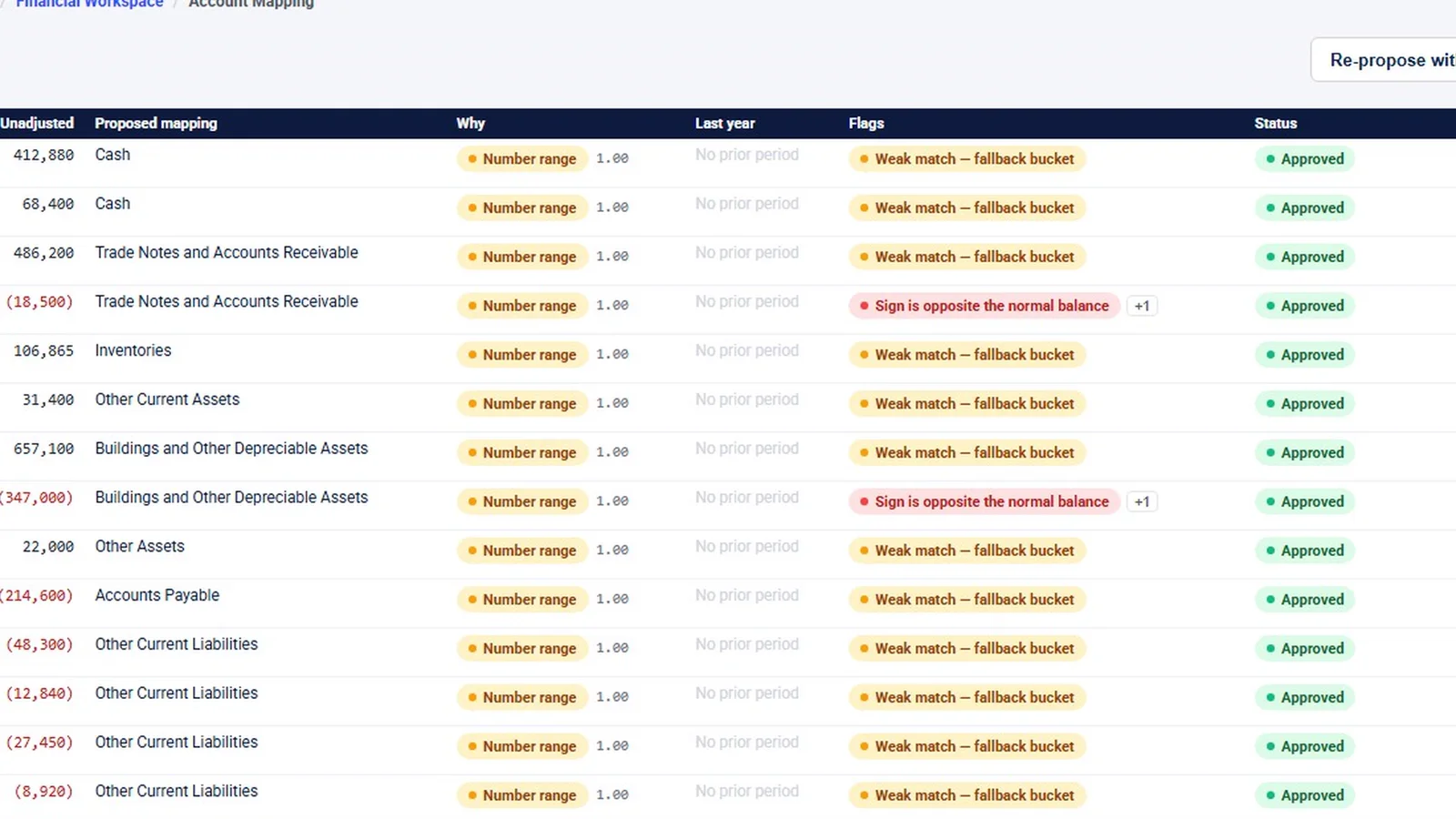
- Document intelligence: the completeness check with expected versus observed and a confidence level, plus proposed account mappings and drafted variance commentary.
- Autonomy: Propose, Approve to act and Autonomous for each agent, the 15-minute hold on autonomous chases, and a log of everything done unattended.
Why it matters
Much of a firm’s season goes to necessary but repetitive reading and drafting. The question for most firms is not whether software can help, but where people stay in charge. This walkthrough shows the answer InflowSheet gives: agents propose and draft, a person approves, and each firm decides how much routine work an agent may do on its own.
What the demo data does not show
The review room’s item counts and the 72-day wait are sample data, not results. The demo’s Home strip also shows items already posted, so in this workspace some agent work had been carried out, not only drafted. The mapping and variance AI buttons were not clicked, and the completeness finding was run on a placeholder file. As InflowSheet’s site puts it, AI-assisted output requires professional review and is not accounting, audit, or tax advice. For data-handling questions, ask us, and see the Security page.
Related features
Read about AI agents for accounting firms and the guide to reducing missing client tax documents. To see the agents working inside the request list, watch client document requests.
Screens from the walkthrough
Questions firms ask
Do the agents email clients without approval?
Not by default. In Propose mode an agent drafts the work and waits, and nothing leaves without a person. If a firm chooses Autonomous mode, the agent acts only on routine items, and a reminder email is held for 15 minutes so it can be stopped.
Does AI make the final call on a document?
No. The completeness agent compares a document with the request and recommends; validating stays with a person, on the row or in bulk.
Where can we ask how AI features handle data?
Ask us for the current data-handling details for AI features, and see our Security page for what InflowSheet states about data handling.
Related
Watch the full walkthrough
Start with the free 90-second tour, then open the full library with your name and work email.