Accounting software SharePoint integrations: store, sync or connect?
"Integrates with SharePoint" can mean three very different things. This reference sorts common CPA tools by how they actually use SharePoint and OneDrive, using only what each vendor publishes, with dates.
Updated 2026-10-17
Ask five vendors whether their accounting software has a SharePoint integration and you may get five yeses that mean different things. One stores your client files in your SharePoint. Another keeps its own copy and mirrors it. A third lets staff browse SharePoint from inside its own app. For a firm that has standardised on Microsoft 365, those differences decide where the authoritative copy of a client document lives, whose retention policy applies to it, and what you have to migrate if you leave.
This article is a reference, not a ranking. It sorts common CPA practice and portal tools by how they use SharePoint and OneDrive, using only what each vendor publishes on its own site, and dates every entry. Vendors change their products, so check the source before you rely on a line.
Three ways a tool can “integrate” with SharePoint
| Model | What it means | Where the authoritative file lives | What to watch |
|---|---|---|---|
| Storage of record | The tool uses your SharePoint (or OneDrive) as its document store. Files are written there and opened from there. | Your SharePoint | What the tool keeps outside SharePoint: requests, statuses, comments, metadata. |
| Two-way sync | The tool keeps its own copy and mirrors adds, edits, renames, moves and deletes in both directions. | Both, kept in step | Sync conflicts, delete behaviour, which copy your retention policy governs. |
| Connector | The tool’s own storage is primary. A connector lets users browse, attach, push or export SharePoint files. | The vendor’s storage, with SharePoint as a reachable location | Whether client uploads ever land in SharePoint, and file size limits on the connector. |
None of these is automatically better. A connector can be the right choice for a firm that wants a vendor-managed portal and only occasionally needs a file from SharePoint. Storage of record matters most to firms whose retention, eDiscovery and offboarding are built around Microsoft 365.
Vendor by vendor, as published (retrieved 2026-10-17)
| Tool | Default storage | SharePoint / OneDrive option | Model | Plan notes | Source |
|---|---|---|---|---|---|
| Karbon | Karbon Storage | OneDrive as an external document provider; SharePoint files can be opened and edited from Karbon | Storage option (opt-in, one provider at a time) with sync | Not stated on the pages cited | [1], [2] |
| Financial Cents | Financial Cents’ own storage | Two-way sync with a OneDrive or SharePoint document library | Two-way sync | Scale plan and above | [3], [4], [5] |
| ShareFile | ShareFile-managed cloud storage, or customer-managed storage zones | Connectors for Office 365, OneDrive for Business and SharePoint Online; on-premises SharePoint connectors | Connector | Office 365 admin must add the ShareFile connector | [6], [7] |
| Liscio | Liscio Vault | The firm’s own Google Drive, OneDrive or SharePoint; a SharePoint integration for attaching and exporting files | Storage option and connector | Not stated on the pages cited | [8], [9] |
| SmartVault | SmartVault’s own cloud | Not published as of Oct 2026 | None published | n/a | [10], [11] |
| Suralink | Suralink | Not published as of Oct 2026 | None published | n/a | [12], [13] |
| Canopy | Canopy’s own storage (AWS) | Not published as of Oct 2026 | None published | n/a | [14], [15] |
TaxDome is left out of the table. Its own pages did not load for our review, so we could not verify its storage options from first-party sources. Ask TaxDome directly.
Karbon
Karbon has built-in storage and lets a firm connect one external provider instead: Dropbox, OneDrive or Google Drive. Karbon says “files stay in your firm’s Dropbox, OneDrive, or Google Drive account” [1]. Its OneDrive page describes linking work items “with a new or existing OneDrive folder for automatic and organized storage outside of Karbon”, says “files are linked and kept in sync automatically”, and states that SharePoint files can be opened and edited from Karbon [2]. The same page describes copying Karbon email, notes and client tasks to OneDrive [2]. We could not read the help article on where client-request uploads land first, so we don’t state it.
Financial Cents
Financial Cents offers optional two-way sync with OneDrive or SharePoint. In its words, “a file added, edited, renamed, moved, or removed in one system updates in the other” [3]. The integration page adds detail worth knowing before you switch it on [4]:
- it syncs with “your firm’s OneDrive or SharePoint document library”, and SharePoint “requires a Microsoft 365 work account”;
- with auto-create on, a new client gets a matching folder, but “new folders made in Microsoft don’t create clients back in Financial Cents”;
- each client links to one drive account.
The document management page describes the sync as a Scale plan feature [3], and the pricing page lists Google Drive and OneDrive two-way sync among the Scale and Enterprise integrations [5].
ShareFile
ShareFile’s default is “ShareFile-managed, secure cloud storage”, with customer-managed storage zones as an option for firms that want files in their own data centre [7]. Its connector documentation lists cloud connectors for Office 365, OneDrive for Business and SharePoint Online, plus on-premises connectors for SharePoint sites and libraries that require a local storage zone controller [6]. An Office 365 administrator has to add the “ShareFile Connector for Office 365”, and the documentation sets upload limits of 200 MB per file for SharePoint Online and 16 GB for OneDrive for Business [6].
Liscio
Liscio describes its storage as Liscio Vault or the firm’s own Google Drive, OneDrive or SharePoint [8]. Its support center documents a Microsoft SharePoint integration for attaching and exporting files [9]. If SharePoint residency is the deciding factor, ask Liscio which of its features write directly to SharePoint and which export to it.
SmartVault, Suralink and Canopy
All three keep files in their own storage. SmartVault describes “Unlimited cloud storage” [10] and, on its How We Compare page, calls OneDrive “Generic storage lacking accounting-specific features” [11]. Suralink’s Workpaper Suite page says linked documents are stored in Suralink [13], and its integrations page names no SharePoint or OneDrive option [12]. Canopy stores documents on “AWS servers” [15]; its integrations page lists Microsoft 365 document editing, Outlook and Excel, but not OneDrive or SharePoint [14]. For each, “not published” means we found no such option on the pages listed as of October 2026, not that the vendor has ruled it out.
How to evaluate a SharePoint integration
Use these questions in a demo or a trial. Ask the vendor to show you, in your own tenant, not on slides.
- Where does a client’s upload land first? In your SharePoint, in the vendor’s storage, or both?
- Which copy is authoritative? If the two disagree, which one wins, and who is told?
- What happens on delete? Delete a test file in the tool and in SharePoint, and see what happens on the other side.
- Which system’s retention applies? Your Microsoft Purview retention policy only governs the copy in your tenant. Ask how long the vendor keeps its copy and how it is destroyed.
- What lives outside SharePoint? Requests, statuses, comments, audit history and e-signature records are usually in the vendor’s system. Find out where, and in which region.
- Folder structure. Who creates client and engagement folders, in which direction, and can you keep your existing structure?
- Plan and tier. Is the integration on every plan, or only a higher tier?
- Permissions. What Microsoft permissions does the app request, who consents, and can you revoke them?
- Limits. File size limits, number of connected providers, and whether each client can link to only one location.
- Exit. If you leave, what remains in SharePoint and what has to be exported?
Where InflowSheet fits
InflowSheet is built around the storage-of-record model: documents can live in the firm’s own SharePoint (see our Security page). Each engagement has SharePoint folders for Tax Returns, Signed Returns, E-Signatures and Signed E-Signatures, each request has its own folder with its path shown on the row, and a file dropped into an engagement period’s SharePoint folder appears in InflowSheet on the next refresh. Before deleting files, InflowSheet warns that they will be permanently deleted from SharePoint along with their folders.
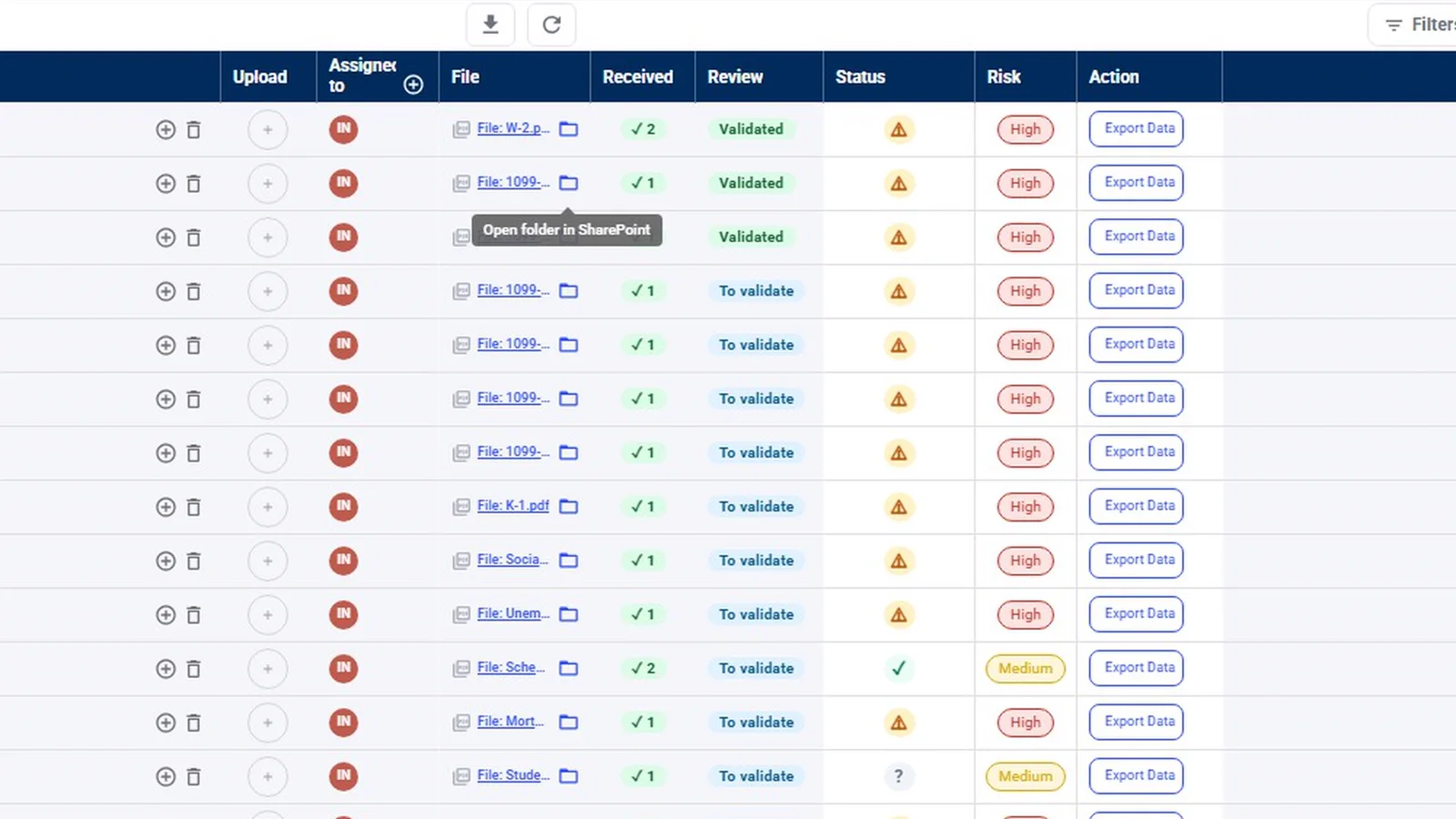
To answer question 5 for ourselves: InflowSheet processes and stores engagement data (requests, statuses, conversations) in its Microsoft Azure environment in the US East region. It works with Teams channels the firm creates or links, it has no OneDrive or Outlook integration, and it does not hold SOC 2 or ISO 27001. The Microsoft permissions are admin-consented and revocable. See the Microsoft 365 page, or compare it side by side with Financial Cents, ShareFile or SmartVault.
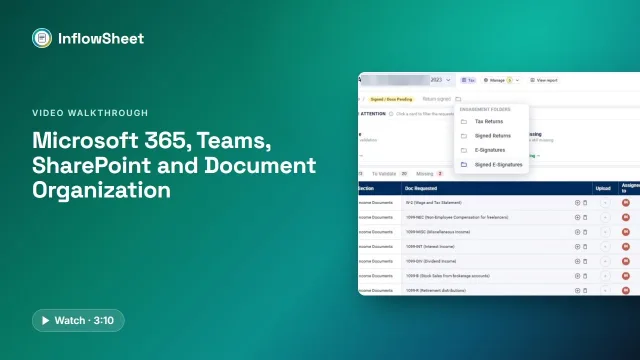 Full walkthrough · 3:11 · access requiredMicrosoft 365, SharePoint and TeamsMicrosoft sign-in, a private Teams channel per engagement, and SharePoint folders for every request and signature.
Bottom line
Read “integrates with SharePoint” as the start of a question, not the answer. Decide first where your firm wants the authoritative copy of each client document to live, then pick the model (store, sync or connect) that puts it there, and test the delete and retention behaviour before you move a season’s worth of files. For the setup underneath, see our guide to SharePoint for accounting firms.
Questions firms ask
Does Karbon integrate with SharePoint?
Karbon publishes a OneDrive integration that links work items to OneDrive folders and keeps files in sync, and its integration page says SharePoint files can be opened and edited from Karbon. Karbon Storage is the default; OneDrive is one of the external providers a firm can connect, one at a time.
Does TaxDome integrate with SharePoint?
We could not confirm this from TaxDome's own pages as of October 2026, because they did not load for our review. Ask TaxDome directly whether any SharePoint or OneDrive option is native or runs through a third-party automation service.
What is the difference between SharePoint sync and SharePoint storage?
With sync, the vendor keeps its own copy of each file and mirrors changes to SharePoint, so two copies exist. With SharePoint as the storage of record, the file's home is your SharePoint and the tool works on it there. Retention, eDiscovery and offboarding behave differently in each case.
Does ShareFile work with SharePoint?
Yes, through connectors. ShareFile's documentation lists cloud connectors for Office 365, OneDrive for Business and SharePoint Online, and on-premises SharePoint connectors that require a storage zone controller. ShareFile's own storage remains the default.
Does SmartVault integrate with OneDrive or SharePoint?
We found no published SharePoint or OneDrive storage connector on SmartVault's storage, integrations or Outlook pages as of October 2026. SmartVault stores files in its own cloud and positions itself against OneDrive on a comparison page.
Sources
- Karbon: Document management feature page (retrieved 2026-10-17)
- Karbon: OneDrive integration page (retrieved 2026-10-17)
- Financial Cents: Document management page (retrieved 2026-10-17)
- Financial Cents: OneDrive and SharePoint integration page (retrieved 2026-10-17)
- Financial Cents: Pricing page (retrieved 2026-10-17)
- ShareFile documentation: Connectors (retrieved 2026-10-17)
- ShareFile documentation: Storage zones (retrieved 2026-10-17)
- Liscio: Bookkeeping firms solution page (retrieved 2026-10-17)
- Liscio support: Microsoft SharePoint integration (retrieved 2026-10-17)
- SmartVault: Unlimited cloud storage page (retrieved 2026-10-17)
- SmartVault: How We Compare page (retrieved 2026-10-17)
- Suralink: Integrations page (retrieved 2026-10-17)
- Suralink: Workpaper Suite page (retrieved 2026-10-17)
- Canopy: Integrations page (retrieved 2026-10-17)
- Canopy: Document storage page (retrieved 2026-10-17)
Related
See InflowSheet on your own engagements
Start with the free 90-second tour, or request access and we will walk you through it.